
In the last two articles I covered the benchmark on a single B300 and the big-model ranking on 4x B300. The question that closes the trilogy is the company’s: is it worth building your own LLM infra for the dev team?
The answer depends on two things: how many comfortable users the hardware holds, and how much that costs per person. We measured both.
The math before the test
Recapping the numbers from the previous article: the 4x B300 pod costs US$ 36 per hour (US$ 864/day, almost US$ 26 thousand/month running nonstop). I started the campaign with about US$ 127 of balance, topped up US$ 2,550, and US$ 537 were left. That was about US$ 2,140 between setup, downloads, tuning and benchmarks, not just inference.
In the middle, the balance hit zero, the pod died during an autotune, and when it was time to top up there was no B300 available. That’s Runpod’s operational risk: the price changes and the supply disappears. The alternative was a 4x H200 pod, with list price around US$ 3.59 per GPU-hour on Community Cloud: US$ 14.36/hour for the four at list math, against US$ 36 for the B300s.
B300 and H200 are not the same machine
The hardware difference changes more than the price:
| 4x B300 | 4x H200 | |
|---|---|---|
| Architecture | Blackwell Ultra (sm_103a) | Hopper (sm_90) |
| VRAM | ~288 GB per GPU, ~1.1 TB total | ~141 GB per GPU, ~560 GB total |
| Native formats | FP8 and FP4/NVFP4 | FP8 (no native FP4) |
| Toolchain | CUDA 12.9+ and kernels compiled on the fly | more mature, but still with JIT patches |
The swap had an adaptation cost: the GLM’s NVFP4 checkpoint that ran on B300 doesn’t exist for Hopper, so its FP8 variant had to be downloaded, and even DeepSeek needed kernel tuning. The concurrency results below are with both in native FP8, which is the fair comparison possible.
How we measured “a team fits”
The test uses vllm bench serve against each pod’s localhost, with requests of 8,000 input tokens and 800 output (a synthetic load in the shape of a coding session), raising concurrency N step by step.
The comfort criterion is what matters: TTFT up to 2 seconds and TPOT up to 20 ms per token (that is, at least 50 tokens/s per stream), with 95% or more of requests meeting both limits. It’s not “the median looked good”: it’s almost everyone well served. A team that waits 50 seconds for the first token is not a team, it’s a queue.
And the caveat: this measures comfortable code requests, not people. I don’t have a measured duty-cycle multiplier for interactive agents, so I won’t invent that each N becomes 2 or 3 developers.
The numbers
| Model / hardware | Single stream | Comfortable (N) | Loose gate (median only) | Aggregate peak | Bottleneck |
|---|---|---|---|---|---|
| DeepSeek V4.1 Flash, 4x B300 FP8 | 177 tok/s | 32 | 48 | 2,778 tok/s | prefill (TTFT) |
| DeepSeek V4.1 Flash, 4x H200 FP8 | 137 tok/s | 8 | 16 | 2,506 tok/s | prefill (TTFT) |
| GLM 5.3 Flash, 4x H200 FP8 | 175 tok/s | 8 | 16 | 1,930 tok/s | KV cache, 97% |
Read carefully, because there are three stories here.
The B300 serves four times more people in comfort. Same model, same FP8, same TP4: 32 comfortable users against 8. The H200’s aggregate is even impressive (2,506 tok/s), but that’s a prefill queue: p99 TTFT reaches about 51 seconds at N=256, so the user waits a minute before seeing anything. High throughput is not interactive capacity.
The cliff is so steep it’s worth looking at the numbers up close. At N=16, p99 TTFT was 1.17 s on B300 and 3.19 s on H200, with 100% and 92.7% of requests good. At N=32, the B300 still held 97.4% inside the SLO (2.23 s), while the H200 collapsed to 8.3% (6.58 s). And at N=48 the B300 fell to 92%, below my 95% gate: that’s why comfortable is 32 and not 48. The difference between “works” and “works for everyone” lives in those last 2 percentage points.
Heavy and light models tie on the H200. The 510 GB DeepSeek and the smaller GLM sustain the same 8 comfortable users, for different reasons: DeepSeek has efficient KV via MLA and dies of compute/prefill; GLM blows the KV cache (97% usage). Choosing hardware by parameter count is looking at the wrong place: the KV architecture is what rules concurrency.
The loose gate deceives. If you only look at the median, you could say 48 on B300 and 16 on H200. Except the p99 tail destroys the experience of whoever is on the other side. To size a team, I use the comfortable number and that’s it.
Cost per comfortable user
Now the deciding arithmetic:
- 4x B300: US$ 36/h ÷ 32 = US$ 1.13 per comfortable user per hour.
- 4x H200: US$ 14.36/h ÷ 8 = US$ 1.80 per comfortable user per hour.
The B300 wins per person even with the pod costing 2.5x more. The H200 would only become cheaper per user below US$ 9/hour for the whole pod, and on the current table it costs US$ 14.36. The cut-off point isn’t the machine’s price, it’s its capacity.
What if your company already lives on AWS or Azure?
You can build the same infra on the hyperscalers, but the price changes category. The list values I checked, per GPU-hour:
| Provider | Configuration | Price per GPU-hour | Against Runpod |
|---|---|---|---|
| Runpod, 4x B300 (my campaign) | B300 | US$ 9.00 | 1x |
| Runpod, 4x H200 (Community Cloud) | H200 | US$ 3.59 | 0.4x |
| AWS, p6-b300.48xlarge | 8x B300, capacity block | US$ 16.15 | 1.8x |
| AWS, p6-b200.48xlarge | 8x B200, capacity block | US$ 14.21 | 1.6x |
| Azure, ND96isr_H200_v5 | 8x H200, East US 2 | US$ 10.60 | 3.0x |
B300 on AWS costs 1.8x what I paid on Runpod, and H200 on Azure costs almost 3x Runpod’s. The capacity conclusion doesn’t change (the physics of tensor parallelism and KV cache is the same), but the “worth it” math gets considerably worse: if on Runpod the B300 ties the subscription around 30 users, on AWS it starts losing by a comfortable margin.
And in practice, how much does it come out to per developer, turning the pod off at night like in the other calculations (8 hours per business day, 176 hours/month)? The AWS and Azure rows are normalized arithmetic for 4 GPUs, because the cited SKUs come with 8 and I didn’t measure TP=8:
| Setup | Monthly pod cost | Comfortable streams (1 per dev) | Cost per dev/month |
|---|---|---|---|
| Runpod 4x B300 (US$ 36/h) | US$ 6,336 | 32 | US$ 198 |
| AWS 4x B300 (US$ 64.58/h, normalized) | US$ 11,367 | 32 | US$ 355 |
| Runpod 4x H200 (US$ 14.36/h) | US$ 2,527 | 8 | US$ 316 |
| Azure 4x H200 (US$ 42.40/h, normalized) | US$ 7,462 | 8 | US$ 933 |
The difference is brutal: the same comfortable developer costs US$ 198 on Runpod and US$ 933 on Azure, almost five times the price of the strongest frontier subscription. AWS sits almost 80% above Runpod, so even it only makes sense if your requirement is something other than cost.
And if you take the whole 8-GPU instance, as they’re sold? AWS comes out at US$ 22,734/month and Azure at US$ 14,925/month, and then you have to measure TP=8 to know how many users you can use, because with TP=4 you pay double for the same capacity.
The commercial models differ too: capacity block on AWS is not on-demand, and Runpod’s Community Cloud is not production SLA. So read this table as an order of magnitude of price, not a contract quote. If your requirement is compliance, procurement or residency in a specific region, the hyperscaler may be unavoidable, and then you pay the premium. If the requirement is just price, the neoclouds win in these configurations.
What if, instead of renting, I buy the machine?
When the rental bill hurts, the natural question is to buy the hardware. Two candidates from the current shelf:
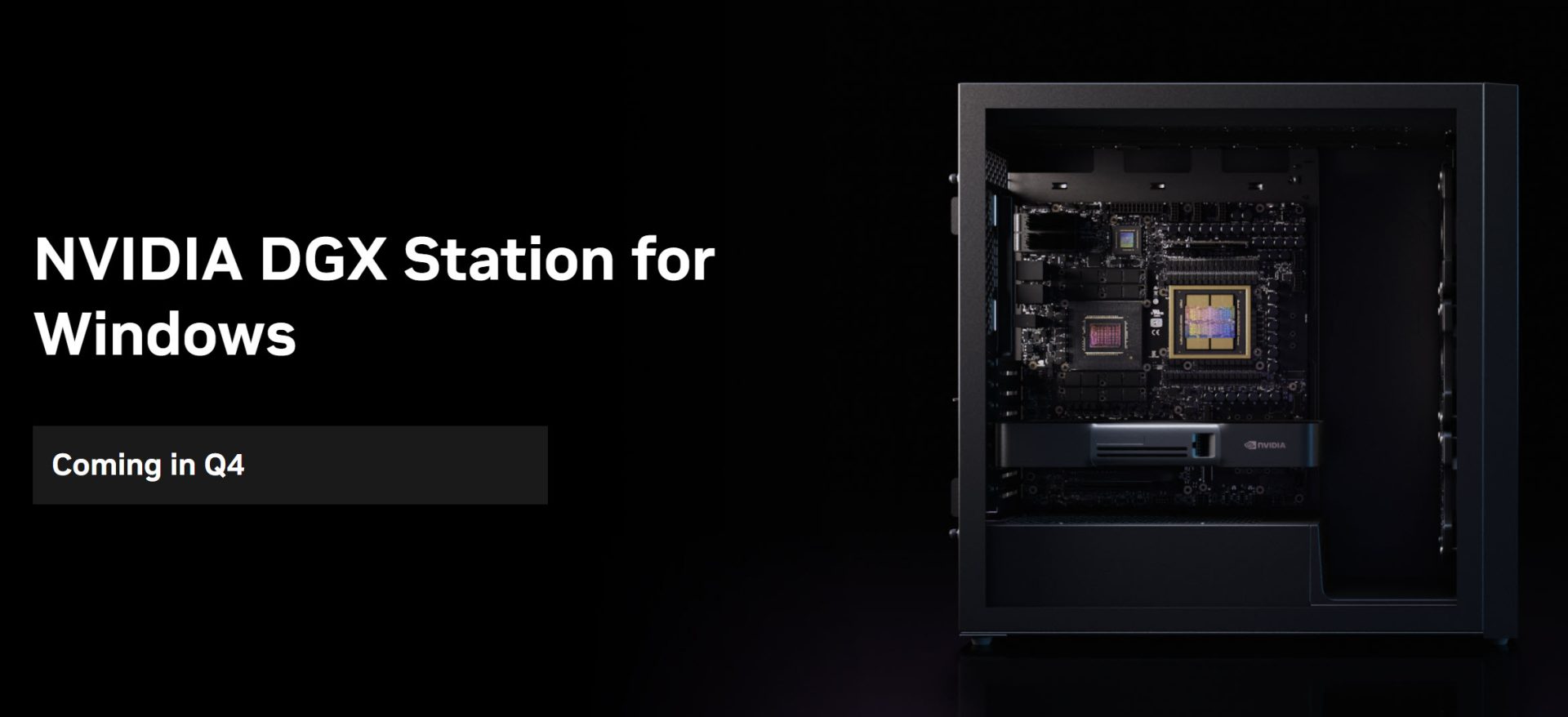
DGX Station GB300 (~US$ 130 thousand, with configurations starting around US$ 95k): 748 GB of unified memory (252 GB of HBM3e at 7.1 TB/s and 496 GB of LPDDR5X at 396 GB/s), 20 PFLOPS in FP4. The weights of every model I tested fit on it, and the best ones to put on it would be:
- DeepSeek V4.1 Flash (92.5/A, 510 GB in FP8), the benchmark champion;
- Muse Spark Open (69.5/C, 533 GB in NVFP4);
- Step-5-Preview (72.5/C, 368 GB in NVFP4);
- GLM 5.3 full (76/B, 704 GB in FP8).
It fits, but fitting is not serving: the full GLM would leave only about 44 GB for KV cache and system, so full long-context concurrency remains to be measured. The comfort estimate is single-digit, in the H200’s line, not the four-pod’s 32. The difference is you don’t need TP=4: everything lives on a single chip.
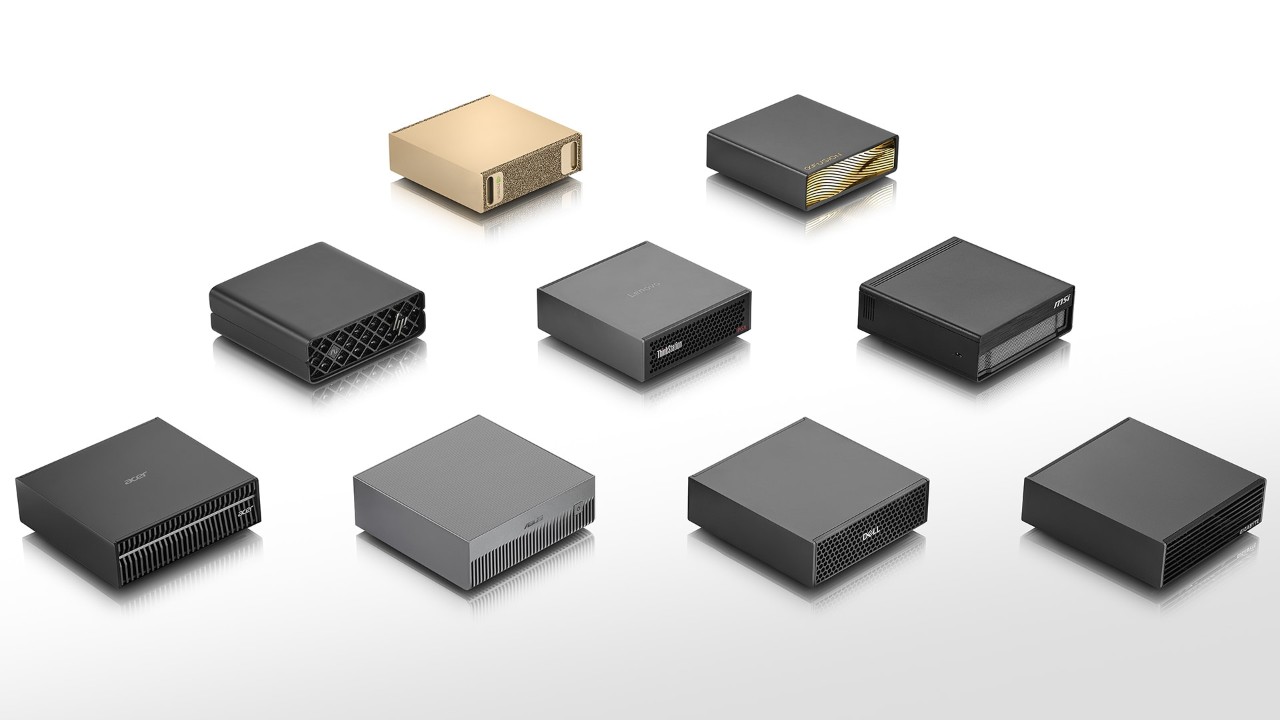
DGX Spark (~US$ 6,950 on NVIDIA’s current store): 128 GB unified, 1 PFLOP in FP4, 273 GB/s of bandwidth. The good filling for it is small and medium models, and it’s better than it looks:
And there’s a detail that hurts to see on the bill: by my own estimate, without a closed audit of all the first round’s costs, adding the v4 credits (those ~40 commercial models) to this B300/H200 campaign’s US$ 2,140, I’ve already spent a few thousand dollars between API and pods, close to half the price of a DGX Spark. And even so, I wouldn’t have a machine sitting at home because of it.
- Qwen3.8 Flash-Next (92.5/A), the single-B300 co-leader. In IQ3_S it lands in the tens of GB range, and it’s exactly the model that scored 91.0 on the RTX 5090 with Strata. It’s the best model I’d recommend for a Spark today.
- Swift 1.5 27B (88/A, 56 GB), which was the most balanced self-host recommendation of my previous campaign;
- ThinkingCap 3.8 27B (83/A, 56 GB);
- Ornith-1.5-35B-A3B (81/B, ~70 GB in BF16);
- Laguna-S-2.1 (65.5/C, 99.7 GB in NVFP4);
- and the small classifiers from the decision benchmark (Jebadiah 4B, Laya, Julia), which are the ideal use case for a box like this.
The DeepSeek V4.1, at 510 GB, doesn’t fit at all. The bandwidth is almost 30 times smaller than the B300’s, so interactivity suffers, and practical concurrency remains to be measured: I expect little more than solo use. For small models it’s a nice little box; for a monster, it’s a paperweight.
TCO, ROI and depreciation
The own-versus-rent math, using 3 years of depreciation and the same usage pattern (8 hours per business day, 176 hours/month):
| Scenario | Rental cost/month | Purchase cost (depreciation/month) | Break-even |
|---|---|---|---|
| GB300 vs Runpod 4x B300 (US$ 36/h) | US$ 6,336 | US$ 3,611 (130k / 36) | ~20 months |
| GB300 vs Runpod 24/7 | US$ 25,920 | US$ 3,611 | ~5 months |
| Spark vs 1x B300 (US$ 9.09/h) | US$ 1,600 | US$ 193 (6,950 / 36) | ~4.5 months |
| Spark vs US$ 200 subscription | US$ 200 | US$ 193 | ~3 years |
Reading: if you run a big model every business day for two years or more, the GB300 pays for itself in under two years, and in 24/7 it pays for itself in five months. If your need is a two-week campaign like mine, renting cost US$ 2,140 and done, with no idle asset afterwards. And the Spark only makes sense if your load is small models: in that case it pays for itself in under a semester against renting and in three years against the subscription, but if your need is a 748B, it’s useless from the box.
Two caveats so you don’t buy wrong. First, the table compares dollar scenarios, not equivalent-workload ROI: if your real concurrency on the GB300 is single-digit, the fair comparison would be with a pod smaller than the 4x B300. Second, energy and administration change the result, especially on the Spark, where the difference against the subscription comes down to a few dollars per month. I ignored resale at the end of the three years; if it exists, the break-even improves.
Note for those buying in Brazil: these prices are in dollars. In reais, with the dollar at R$ 4.99, plus import taxes and the local reseller margin, the GB300 easily passes R$ 800 thousand and the Spark passes R$ 34 thousand before any margin. The break-even in reais gets even further away, so the decision to buy in Brazil needs much higher utilization to close.
And comparing with a frontier subscription? A strong Claude/Codex plan costs about US$ 200 per month per developer. Two important caveats: those plans aren’t unlimited (Codex meters by credit and Claude has per-session and per-week usage windows), and automation/CI doesn’t fit consumer plans. The comparison below is price-only, not equivalent workload. To turn streams into people I need a premise: one developer with one active request the whole workday, which is optimistic for capacity and conservative for cost. With that premise, and not counting my sysadmin hours or setup, the pod running 8 hours per workday (176 hours/month) looks like this:
| Setup | Monthly pod cost | Comfortable streams (1 per dev) | Cost per dev/month |
|---|---|---|---|
| 4x B300 | US$ 6,336 | 32 | US$ 198 |
| 4x H200 | US$ 2,527 | 8 | US$ 316 |
| 4x B300 on 24/7 | US$ 25,920 | 32 | US$ 810 |
Around 30 continuous streams, the B300 lands practically at the strong subscription’s price. Below that, the subscription is cheaper, because you pay per person, not per idle pod hour. And running 24/7 without matching load is throwing money away: the pod charges while sleeping.
For a company, when the math closes
If you have a genuinely big team using it all day, data that can’t leave the environment, and a model that delivers on the daily job (DeepSeek V4.1 Flash scored 92.5 on my vigilance benchmark, above GPT-6 Sol and Sonnet 5), your own infra starts making sense for the first time without being vanity. The cut-off point, on the premise of one active stream per person the whole workday, lands around 30 concurrent people, with the pod off outside working hours.
If the team is small, usage is intermittent, or the goal is just to save money: stay with the API. The same DeepSeek cost US$ 1.21 per full benchmark round in the cloud, and you don’t inherit a pod to administer, nor the risk of the B300 vanishing from stock when you need it most.
What I take from this campaign: big hardware is not an answer to a small question. Before signing the pod, do the math on how many people actually run concurrently on your team, measure the latency they tolerate, and add the price of your sysadmin hour. The big open model already reached the Sonnet 5 and GPT-6 Sol band for daily code review. The infra just needs to fit the budget.