Playing with TUIs and LLMs - Ratatui+Bubbletea
Before getting to the new toy, a quick reminder: ai-jail and ai-memory are still getting plenty of attention. Issues, pull requests, small fixes, packaging improvements, environment bugs, documentation tweaks. The stuff nobody sees in a launch post, but that turns an experiment into something you can use every day.
I like this phase. The project stops being “what I imagined in my setup” and becomes “what breaks on somebody else’s machine.” Then Windows shows up. macOS. Arch. AUR. Weird paths. Tokens saved somewhere else. Different shell. Different terminal. Annoying? Yes. Necessary? Also yes.
But today’s main dish is not ai-jail or ai-memory. It’s TUI. More specifically, my recent habit of writing small terminal tools in Rust with Ratatui, while wanting them to look like Bubble Tea.
The app I won’t open
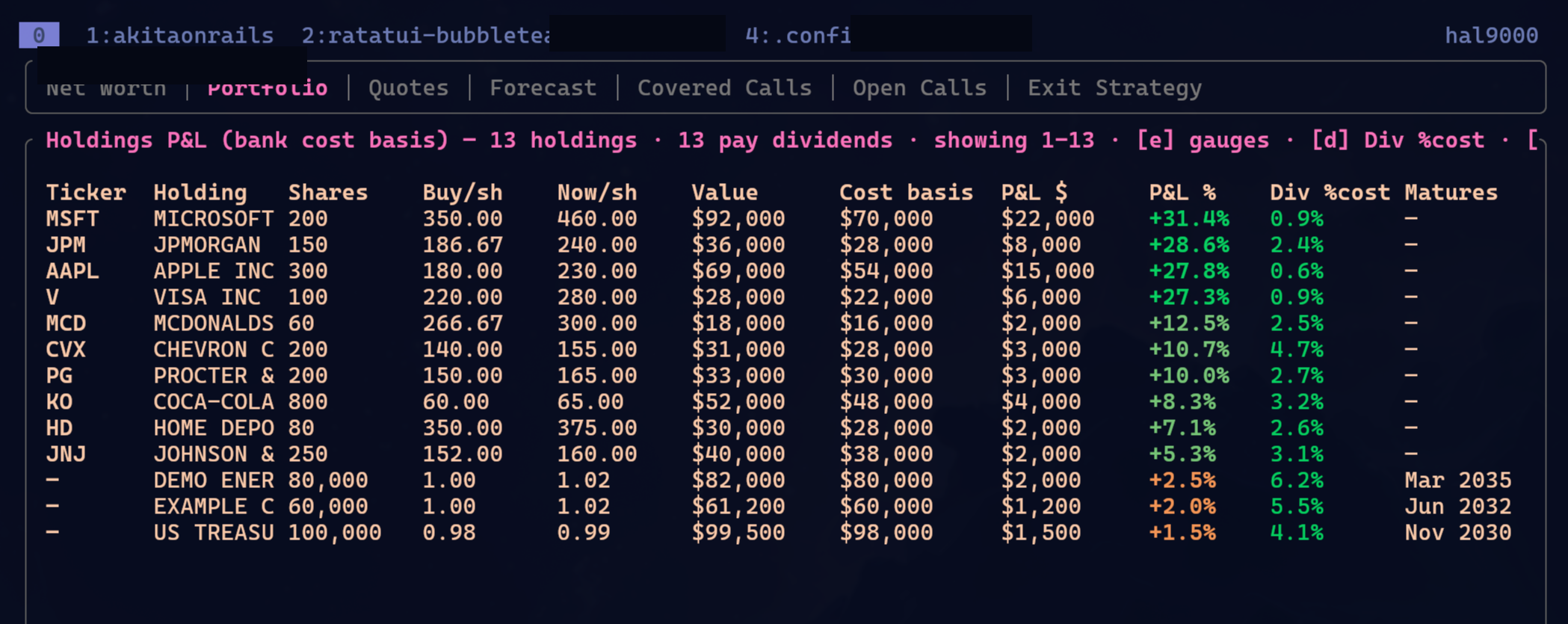
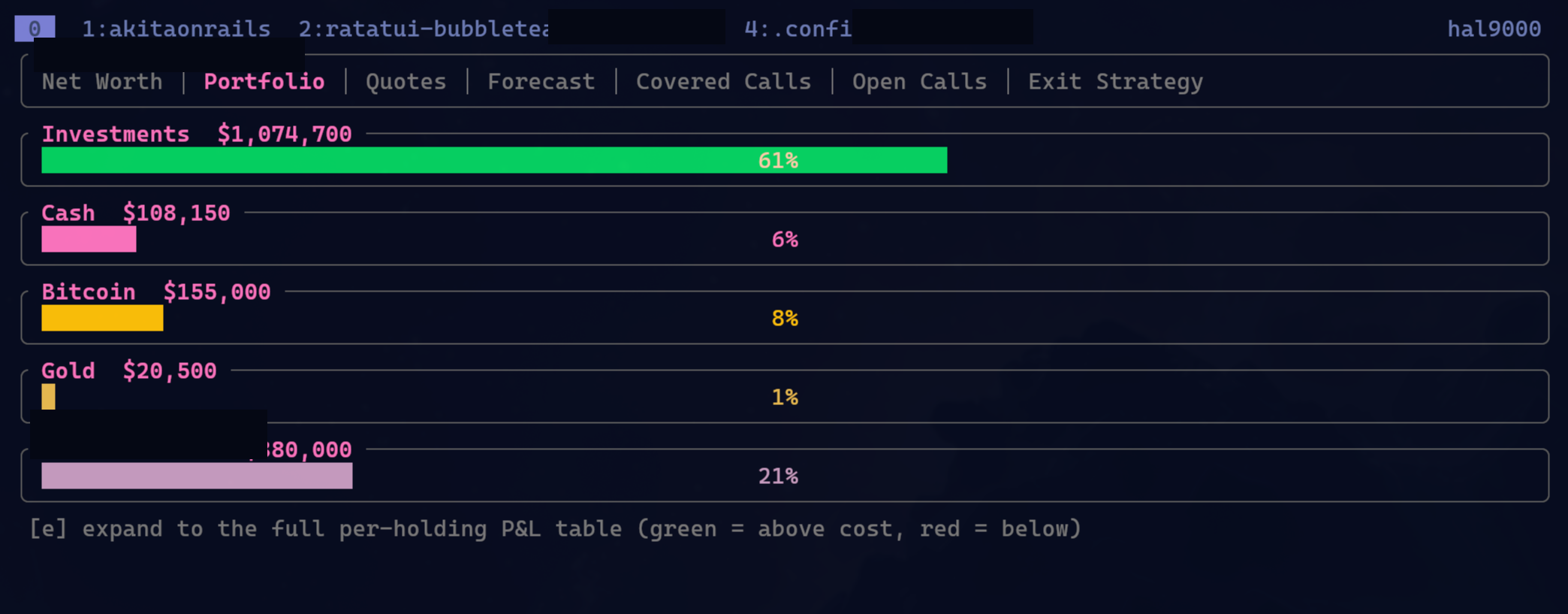
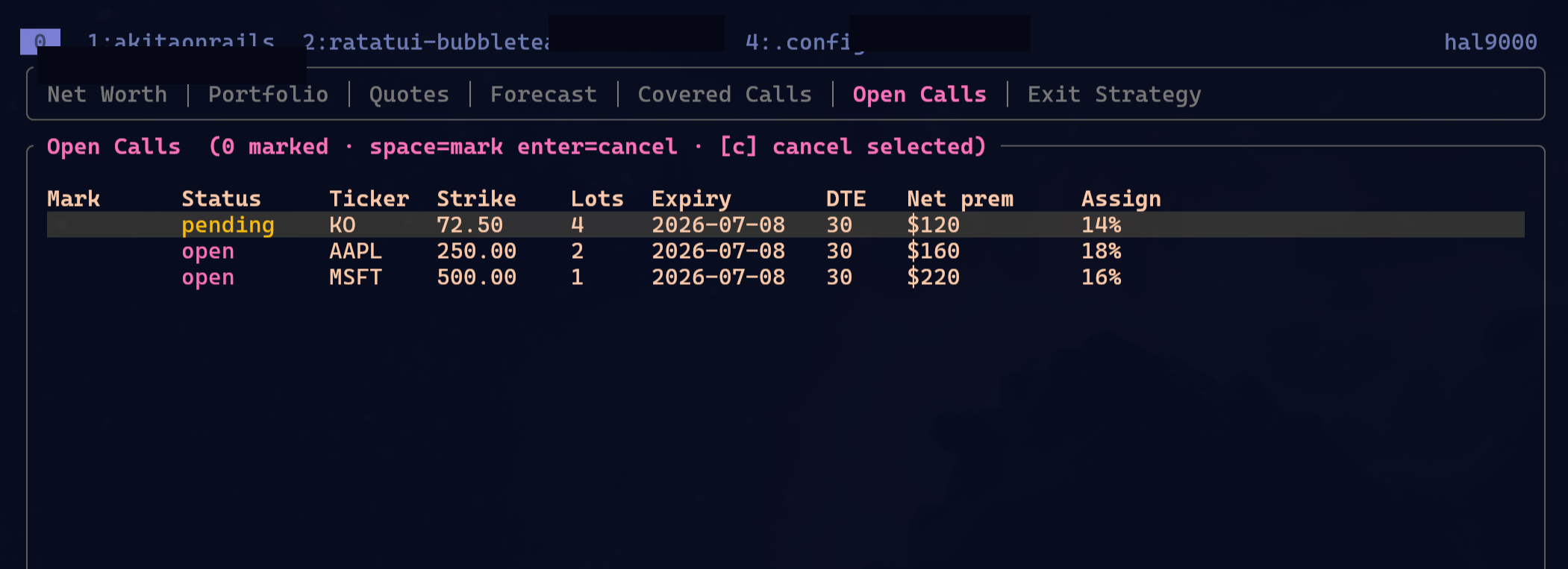
Over the last few weeks I also worked on a private project I do not plan to open source. It’s a TUI to track my US bank account, investments, assets, positions, covered calls, open calls, all that boring grown-up stuff. I won’t publish the code because this tool was born glued to my financial workflow, my spreadsheets, my statements, and my internal hacks. Opening it would turn a tool for myself into free support for other people’s bank bugs. No thanks.
But I can show the general look. I censored what needed censoring:
Obvious note, but I’ll make it explicit: every value, ticker, position, and date shown in the screenshot is bogus demonstration data. It is not real account data, not my real portfolio, and not investment advice.
Every time I build a small TUI, the same question comes back: what stack should I use?
If I were writing everything by hand, I would probably pick Python or Go. They are more comfortable for this kind of small utility. Python because it is direct, full of libraries, great for scripts that talk to APIs and parse JSON. Go because it produces simple binaries, cross-platform support is sane, and the CLI ergonomics are good.
But today I rarely write all that code by hand. I orchestrate Claude, Codex, OpenCode, ask for reviews, ask for refactors, ask for tests. In that setup, Rust’s lack of ergonomics hurts less, because the LLM is the one fighting the borrow checker, trait bounds, and annoying lifetimes. I stay closer to reviewer and end user. And then Rust starts looking very attractive.
Good tooling. cargo is great. Tests are easy to run. Cross compile is manageable. The final binary is clean. Dumb memory bugs mostly disappear. I am not saying Rust is magically better than Go or Python for every TUI. It isn’t. But with an LLM writing most of it, the cost that would usually make me avoid Rust drops a lot. And current models are surprisingly competent with Rust, as long as you make them run tests, fix warnings, and you don’t accept the first version as if Moses brought it down from the mountain.
Ratatui is good, but I wanted the Charm look
Ratatui is a Rust library for building full terminal interfaces: dashboards, interactive apps, tables, lists, gauges, layouts, the whole thing we used to call “modern ncurses.” It grew out of tui-rs, and today it is probably the obvious path if you want to build a serious TUI in Rust.
Ratatui works well. My problem is taste: by default, I don’t find it pretty. Not ugly in the “this looks like a DOS program from 1993” sense. You can build good-looking stuff with it. But many Ratatui TUIs fall into that square, gray, functional look, like a datacenter admin panel.
I like the Charmbracelet vibe more. gum, for example, is a collection of commands that make shell scripts interactive without turning them into a festival of read -p and case. Prompt, select, filter, spinner, table, pager, styling. You can make a bash script feel like a decent app in minutes.
And then there is Bubble Tea, in Go, inspired by Elm architecture. You have a model, receive messages, update state, render a view. Simple idea, very good fit for terminal apps: state comes in, event comes in, view goes out. Charm also has visual taste I like: good colors, decent spacing, light components, nothing that looks like a WinForms form thrown into a terminal.
So I wanted this: stay in Rust with Ratatui, but steal the feeling of Bubble Tea. Not the whole runtime. Not a perfect clone. Just the visual direction and a few components.
That is how ratatui-bubbletea was born.
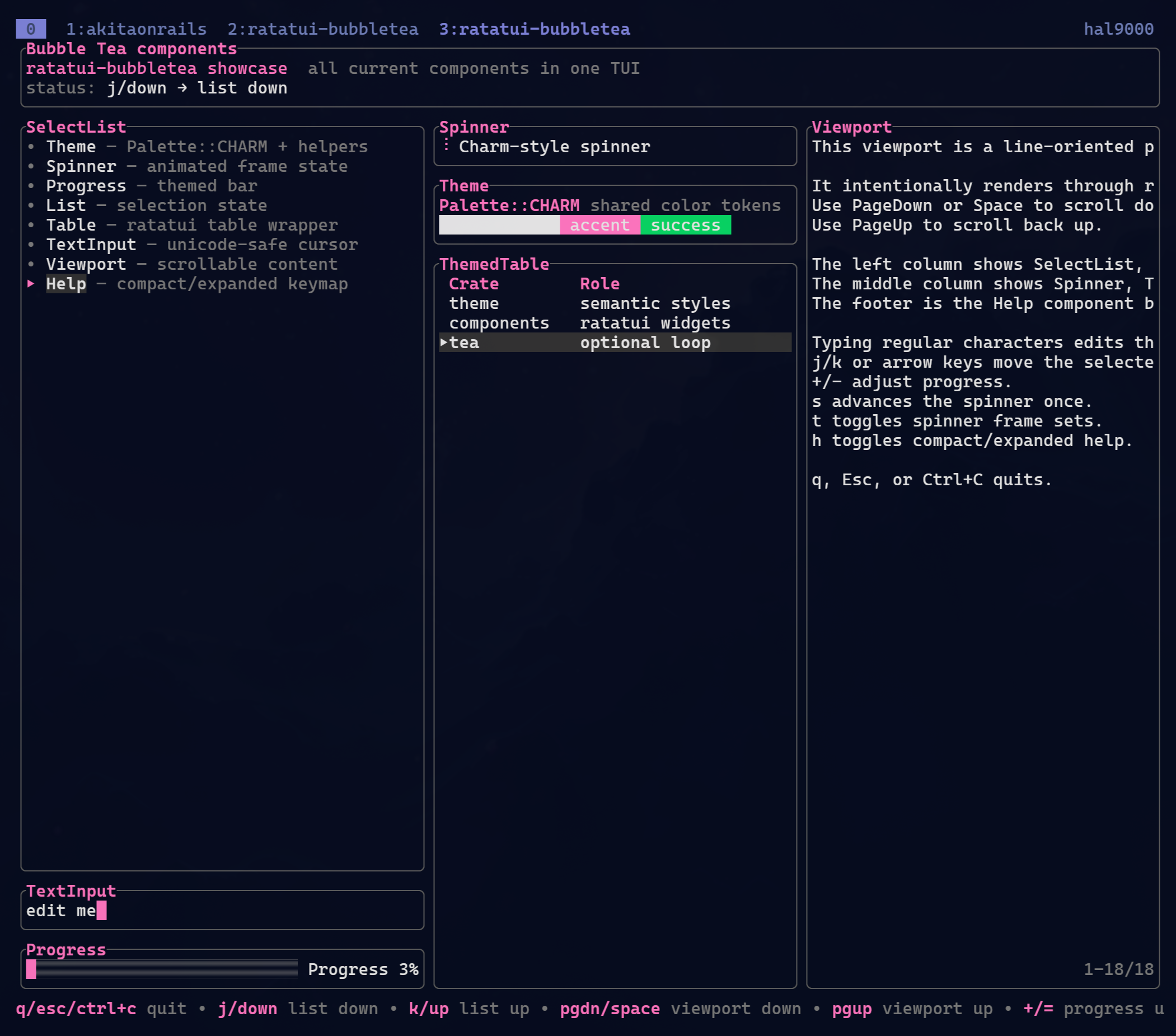
The project does not replace Ratatui. It sits on top. The idea is to offer a theme and component layer inspired by Bubble Tea/Bubbles, while still rendering through Ratatui.
Right now it is split into crates:
ratatui-bubbletea-theme, with palette, helpers, and shared styles.ratatui-bubbletea-components, with ready-made components like select list, spinner, progress, table, text input, viewport, and help.ratatui-tea, optional, for people who want ergonomics closer toModel,Msg, andCmd, without pretending Rust became Go.
The README has the full examples and documentation for what exists today. For now, I treat it as a small toolkit. It serves my apps, and if it serves somebody else, fine. If it doesn’t, no drama either. The goal was to stop reimplementing the same theme and the same widgets every time I started a new TUI.
ai-usagebar as the public example
Since I won’t open the financial app, I needed a public example using this aesthetic. So I updated my ai-usagebar.
If you don’t remember it, I explained the project in “I Built a Waybar Widget for Omarchy to Monitor LLM Plan Usage: ai-usagebar”. It started as a Waybar widget to show LLM plan usage: Claude, OpenAI Codex/ChatGPT, Z.AI, OpenRouter. One glance at the bar and I know whether I am close to the limit and which vendor to use next.
Later it also became a standalone TUI. And thanks to contributions, it now supports Windows too. That is funny because its origin is completely Linux/Omarchy/Waybar. But that is open source: somebody uses it in another environment, finds friction, sends a PR, and now the project is a little less provincial.
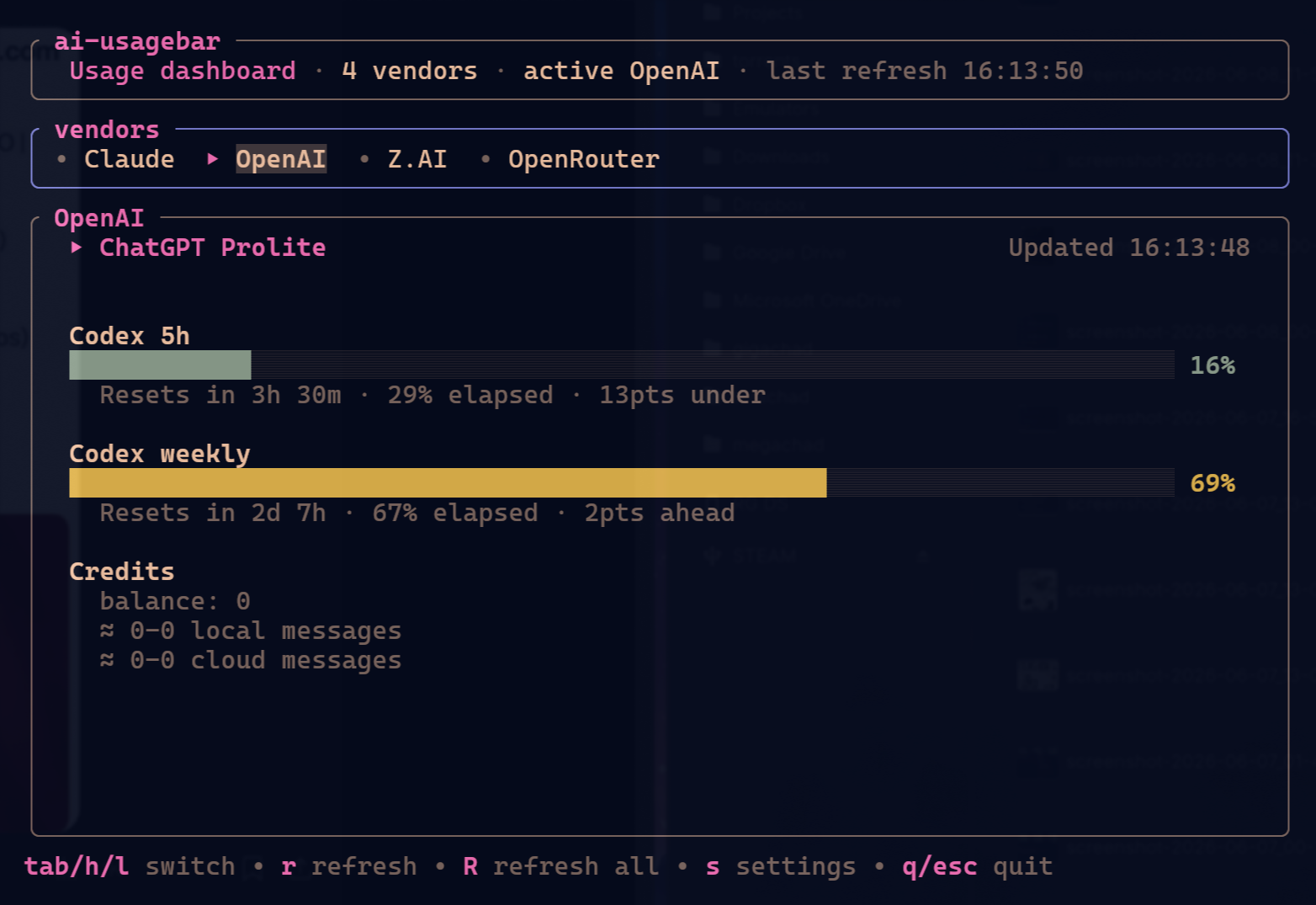
In ai-usagebar, the visual change will not alter anybody’s life. It is a simple screen. Tabs, gauges, text, shortcuts. But it is a good example because it is small, real, tested, packaged, and does not depend on my private app. You can look at the code and see how I applied the theme layer.
The scratch-my-own-itch apps
All these projects follow the same logic: I have an itch, I make a small tool, I use it, adjust it, package it. No startup roadmap. No manifesto. Just a tool that fixes something annoying in my own setup.
One recent example is clock-tui. It did not start with me. It was an old Rust project, tclock, that looked abandoned. I wanted a big clock on my second vertical monitor. That monitor sits on the side, and I like having a huge desk clock taking up part of the screen. I used the original clock-tui for a while.
But an entire vertical screen just to show the time is wasteful. I already had ghpending, which lists open issues and PRs across all my projects. It is my “is anybody waiting for an answer?” in CLI form. I also wanted to see my agenda.
So I made another small app: google-calendar-tui. It uses the Gmail accounts already registered in GNOME Online Accounts and summarizes my upcoming appointments in the terminal. Read-only. No new OAuth ritual. No extra secret config scattered somewhere weird.
With those two pieces, I modernized clock-tui and added auto-refreshing widget layout support. Now the clock takes the screen the way I wanted, but around it I also get GitHub pending work and Google Calendar appointments.
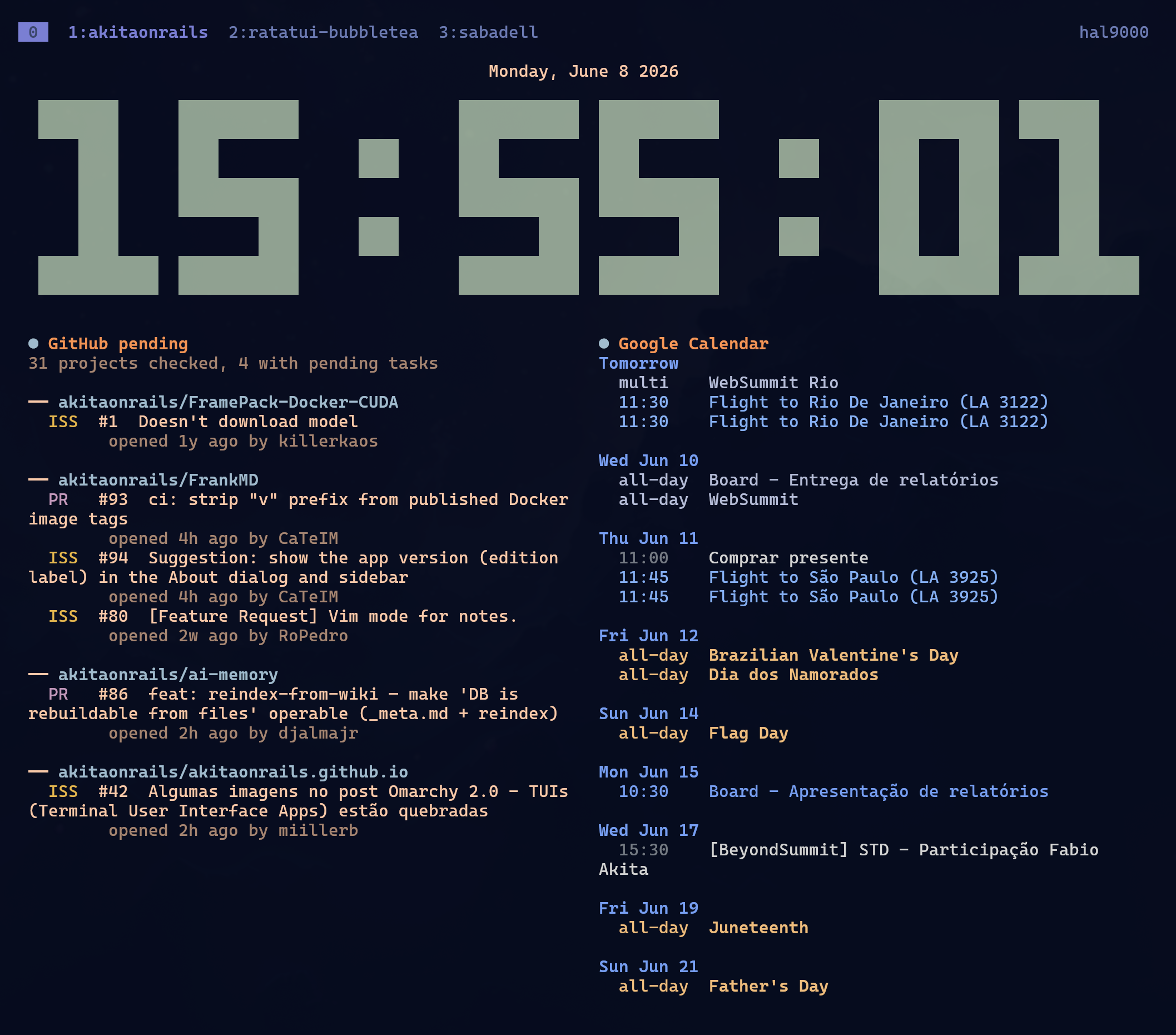
This is exactly the kind of thing I would never build if it cost me an entire weekend. But with an LLM, it becomes a sequence of small tasks: read the old project, modernize dependencies, run tests, add a widget module, call ghpending, call google-calendar-tui, organize layout, fix bugs, package. It still takes work. But it is supervision and refinement work, not fighting boilerplate.
Tweaking Geary without a fork
Another itch came from GNOME.
Since I wanted to centralize my accounts in GNOME Online Accounts, I started using Geary and GNOME Calendar on the second monitor too. I like the idea: accounts configured once, desktop apps reusing the same infrastructure, no tiny program inventing its own login flow.
The problem is that Geary has a fixed three-column layout. On a normal screen, fine. On a vertical monitor, it gets cramped. The folder column, message list, and email body fight for space. I did not want to maintain a Geary fork just to hide a sidebar. Forking a large GTK app is debt. You blink and spend the rest of your life resolving merge conflicts.
So I made a GTK module: geary-hide-sidebar-module. It injects behavior into Geary at runtime and lets me collapse/expand the sidebar, with a shortcut and auto-collapse for narrow windows. No rebuilding Geary. No fork to maintain. Just a small module with one very specific job.
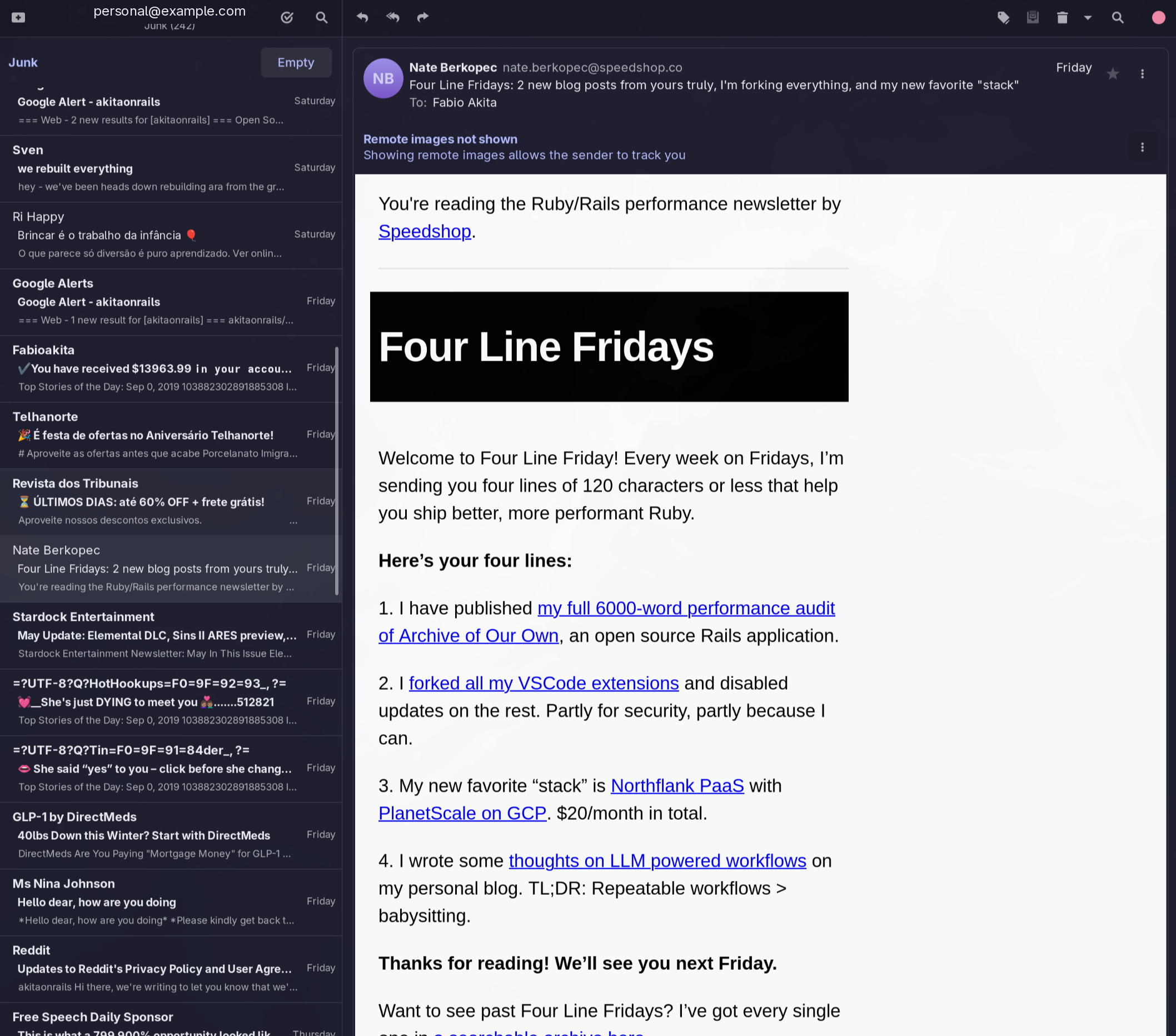
This is a good lesson: sometimes you do not need to fork the whole application. You can adjust it from the outside. GTK_MODULES exists. Wrappers exist. Config exists. CSS exists. Scripts exist. Not every customization has to become eternal maintenance of somebody else’s code.
Small code got cheap
That is why I keep insisting on this idea of small apps. With current LLMs, it became very easy to implement a specific idea to make your environment fit your needs. No waiting for someone else to have the exact same pain. No searching GitHub for three hours for a tool that does 80% of what you want and 40% of what you don’t want.
You describe the itch, create a repo, ask for a prototype, test it, ask for refactoring, ask for tests, ask for packaging. If it sucks, throw it away. If it works, install it and use it.
I do not let this turn into random junk dumped in ~/bin with no owner. My apps have tests. They have automated builds. Many have GitHub releases, AUR packages, normal installation with yay on Arch. They use XDG paths, so config goes to ~/.config, cache goes to ~/.cache, data goes to ~/.local/share. Organized. Upgradable. Removable. Something another person can clone and contribute to.
Here are all the links in one place:
- ratatui-bubbletea
- ai-usagebar
- clock-tui
- ghpending
- google-calendar-tui
- geary-hide-sidebar-module
- ai-jail
- ai-memory
If you use any of them and it breaks in your setup, open an issue. If you know how to fix it, send a PR. I actually use these tools, so useful bug reports tend to turn into fixes fast.
My practical rule is this: customize your environment without turning everything into duct tape. Build small tools. Test them. Package them. Document them. Let the LLM carry the boring weight and use your brain to decide what is worth keeping.
That is the fun part of programming that had gone missing for a bit. Now it is back.