
Every time I mention coding agent harnesses, somebody shows up asking: “but why don’t you use Pi?” or “why not Oh-My-Pi?”
I hate that question when it comes like that.
Not because I have anything against Pi. I don’t. The problem is that almost nobody explains the why. What is the concrete benefit? What problem does it solve better than Claude Code or OpenCode? Which use case is clearly better there? Which limitation does it remove?
Usually, nothing comes back. Just a tool name. That smells like one of two things: fanboy wants validation for the choice he already made, or somebody wants to outsource the homework. “Akita, test this for me and tell me if my favorite tool is good.” Not exactly the kind of pitch that makes me drop what I’m doing.
But I tested it anyway. And, as expected, it did not blow my mind.
Before getting into Pi, OpenCode and Oh-My-Pi, we need to align vocabulary. I already explained this in previous posts, especially in “RANT: Did AI Kill Programmers?”, but it is worth repeating because people still mix everything together.
What is a coding agent harness
A raw LLM does not edit your project. It receives text and returns text. That’s it.
When you open Claude Code, Codex, OpenCode, Oh-My-Pi, Crush or anything similar, you are not talking directly to “the model” in a raw form. You are talking to a program in the middle. That program sets up the LLM’s work environment.
That program is what I call a harness. In English, harness is the thing you use to strap and steer a horse. The metaphor works: the raw model is strong, but without a harness it runs wherever.
The harness does several things:
- builds the system prompt, with behavior rules;
- reads context files like
AGENTS.md,CLAUDE.md, local rules, skills and project docs; - defines which tools the LLM can call;
- executes those tools: read files, search text, edit, run shell, run tests, open a browser, query LSP, call MCP;
- collects tool results and sends them back to the model as new context;
- manages permissions, sandboxing, confirmations for dangerous commands;
- controls the execution plan, task list, parallel subagents;
- detects when context is filling up and triggers compaction;
- tries to preserve memory across turns or sessions;
- decides how to interrupt, resume or steer the agent when you change your mind mid-run.
So two CLIs using the same model can behave differently. Forget “GPT 5.5 vs Opus 4.7” for a second. It is model plus harness. The harness decides what information the model sees, which tools it knows about, which patch format it uses, how it confirms actions, when it summarizes, when it calls a subagent, when it stops.
That layer turns a chat with manual copy-paste into something that can actually work on a real project.
The problem with subsidized plans
I have said this many times: if you use agents for many hours a day, Anthropic and OpenAI’s subsidized plans are much more attractive than paying per token.
Direct API usage is expensive. Very expensive. If you do real Agile Vibe Coding, letting the agent run tests, read code, refactor, compile, rewrite and review, it burns tokens like a weekend barbecue.
A monthly plan changes the math. You pay a fixed amount, get a large quota, and can work without treating every tool call like a taxi meter.
The problem is that Anthropic is strict about where those plans can be used. The Claude Code Legal and compliance docs say OAuth for Free, Pro and Max plans is meant for Claude Code and Anthropic’s native applications, and that third-party developers should use API keys through Claude Console or a cloud provider. They also explicitly say Anthropic does not allow third parties to offer Claude.ai login or route requests using users’ Free, Pro or Max credentials.
So yes, are there hacks to make OpenCode, OpenClaw and other tools use Anthropic plans? Yes. The Claude Code leak helped a lot of people understand how authentication and transport worked. I wrote about that in “Claude Code’s Source Code Leaked. Here’s What We Found Inside.”.
But I do not recommend it.
From what I have seen, Anthropic keeps enforcing the policy. You may get it working today and get blocked tomorrow. Worse, you may lose an account you use every day. Not worth it for me. If you want Opus through an Anthropic plan, use Claude Code. Full stop.
And to be fair, Claude Code is one of the best harnesses around. After hundreds of hours using it, I can praise it without hesitation:
- the planning mode is good;
- the task list is clear and the agent follows it step by step;
- you can interrupt and redirect without destroying the session;
- you can inject prompts while it is working;
- memory and compaction are much more sophisticated than the alternatives;
- after the leak, we could see several layers of context management, not a single dumb summary.
I explained the memory part in more detail in “AI Agent Memory: Karpathy LLM Wiki and agentmemory in Practice”. Claude Code spends real effort preserving what matters when context fills up. Codex and OpenCode do enough. Claude Code goes further.
Codex is the problem, not GPT
OpenAI has Codex CLI to use with its models. I will be blunt: Codex is an inferior harness.
I am not saying GPT 5.5 is bad. Quite the opposite. The model is excellent. The problem is the harness around it.
Codex’s planning mode is weak compared to Claude Code. Interruption is awkward: many times it means stopping everything, losing the flow, and continuing manually. Task organization is looser. More than once it did not finish what it promised until I explicitly told it, “finish this properly.” It feels like a tool that has not decided whether it wants to be a chat, an executor, a planner or a terminal assistant.
Is it usable? Sure. Can you work with it? Yes. But the experience is worse than it should be.
The good news is that we are not forced to use Codex to use GPT. OpenCode exists. In practice, using GPT 5.5 through OpenCode feels much less nerfed. The harness lets the model work better.
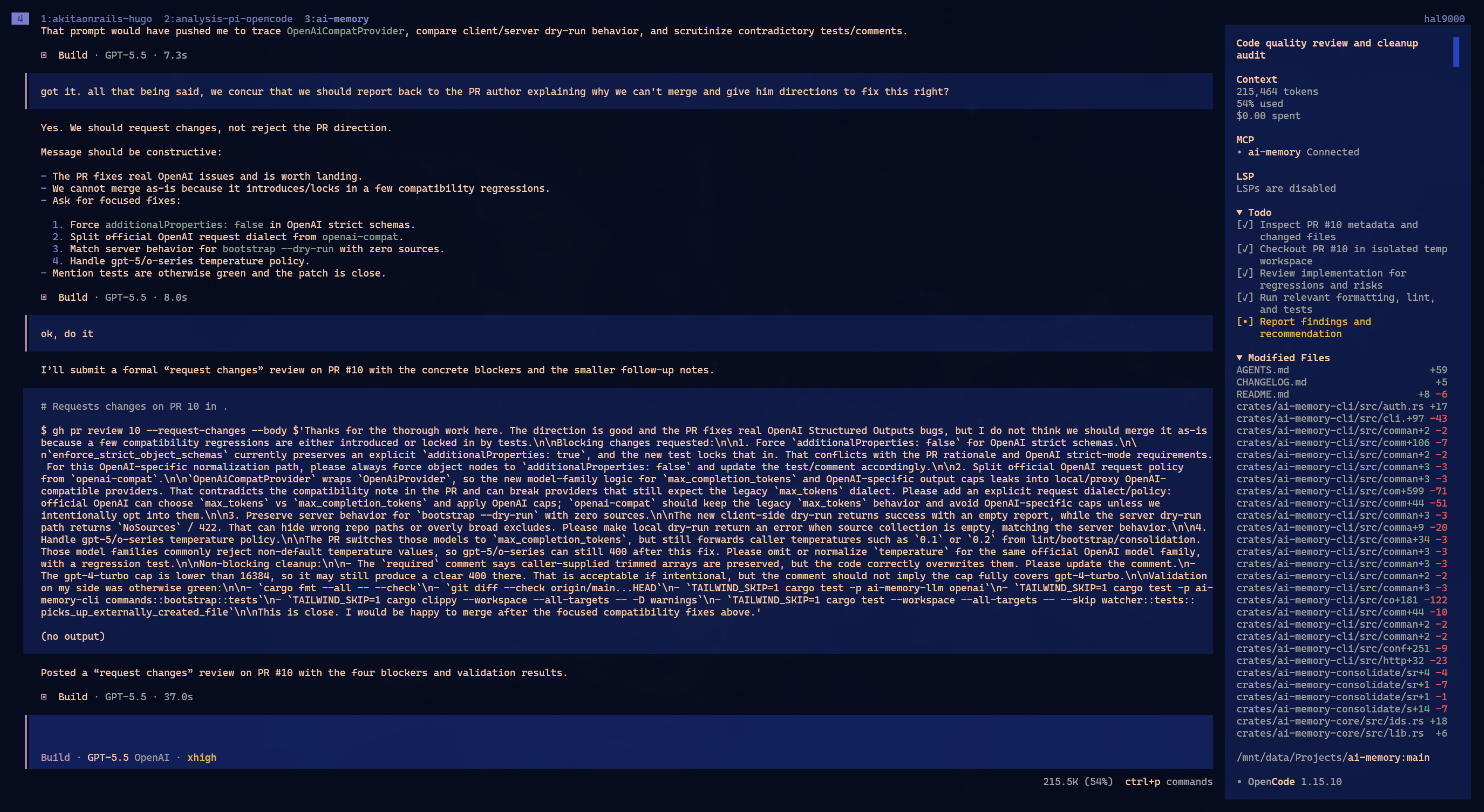
OpenCode also documents that it can connect providers and use subscriptions in some cases. In the Providers page, they warn that Anthropic prohibits Claude Pro/Max usage in third-party tools, but list subscriptions like ChatGPT Plus, GitHub Copilot and GitLab Duo as supported in OpenCode. The interface changes between versions, sometimes you see /connect, sometimes people say /login, but the idea is the same: plan OAuth is different from an API key. API key is token credit. OAuth uses the subscription.
So my practical recommendation today is simple:
- Want subsidized Opus 4.7? Use Claude Code.
- Want subsidized GPT 5.5? Use OpenCode.
- Want GPT 5.5 through Codex? You can, but in my opinion you are nerfing the model with a worse harness.
If OpenAI were smart, I would honestly drop Codex CLI and adopt OpenCode as the base. Or at least copy what OpenCode does well without shame. Codex has no concrete advantage for me today.
So where does Pi fit?
Now, Pi.
Pi is a minimalist harness. You can use it by itself, but to me it is like opening NeoVim with no plugins. Yes, it works. Yes, some people love building everything from scratch. Yes, you learn a lot doing it.
But I do not recommend it as the starting point for someone who just wants to work.
Oh-My-Pi is a Bun-based fork with “batteries included.” And of course there is already polarization: Pi extremists say Oh-My-Pi is bloated, that the right thing is pure Pi, building your own tools, composing your own distro, configuring everything by hand.
This reminds me of NeoVim. I like NeoVim. But I do not want to spend my life choosing a statusline plugin, configuring LSP by hand, tweaking file tree keymaps and comparing 12 fuzzy finders. I install LazyVim and move on. When I want to study internals, I study. When I want to deliver work, I use the package that works.
For me, Oh-My-Pi occupies that spot. If you are curious about Pi, start with Oh-My-Pi. If you like it, if you feel the itch, then go to minimalist Pi and build your own distribution. Go for it. Just do not pretend it is objectively better for everyone.
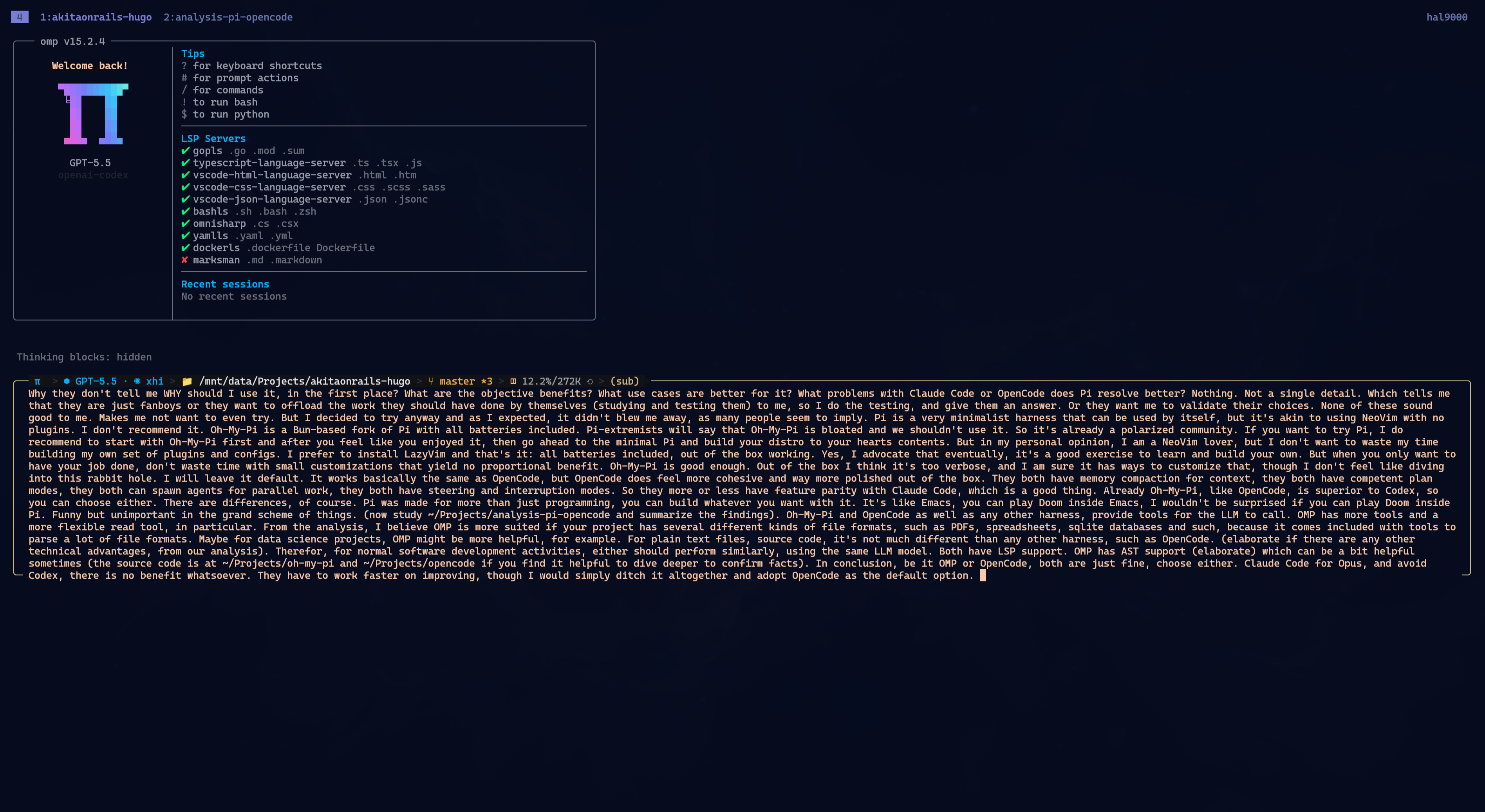
My first impression of Oh-My-Pi is that it works. It is not bad. It also did not make me say, “how did I live without this?”
Out of the box I found it too verbose. I am sure you can customize it, but that is the rabbit hole. I do not want to spend the afternoon tuning prompt, theme, panel size, tool policy and whatever else. I left it default.
In normal use, it feels a lot like OpenCode. Both can work with planning, tasks, tools, subagents, LSP, compaction, interruption and steering. Both are better harnesses than Codex. That is enough for me to take it seriously.
But OpenCode feels more cohesive. More product. More polished. Oh-My-Pi feels more like a lab built by people who enjoy powerful tools full of knobs. That can be praise or criticism, depending on what kind of person you are.
What I checked in the code
To avoid relying only on visual impressions, I asked for an analysis comparing OpenCode, Pi and Oh-My-Pi, then checked parts of the source code myself.
The result matches the intuition.
Upstream Pi
The original Pi is small. The built-in toolset is basically:
readbasheditwritegrepfindls
That is clean. I like clean code. But as a modern harness for heavy programming, by itself, it does not compete with OpenCode or Oh-My-Pi.
Again: that does not mean it is useless. It means it is a minimalist base. If you want to build your own agent distribution, great. If you want to open a tool and work today, it is thin.
OpenCode
OpenCode has the normal competent kit for programming:
- shell;
- read;
- glob;
- grep;
- edit/write or apply_patch;
- task/subagents;
- todo;
- web fetch/search;
- skills;
- optional LSP;
- plugins and MCP.
Its read covers what I expect in a code project: source file, directory, supported image and PDF. It has LSP. It has task. It has todo. It does not try to be the Swiss Army knife for every possible artifact.
For normal software, that is enough. For a project mixing SQLite databases, spreadsheets, notebooks, PDFs, archives and web pages, the difference starts to show.
Oh-My-Pi
Oh-My-Pi comes with more tools. A lot more. In its registry you find things like:
readbasheditast_grepast_editaskdebugevalfindsearchlspinspect_imagebrowsertaskjobrecipeirctodo_writeweb_searchwrite- memory/hindsight tools
The clearest advantage is read.
In Oh-My-Pi, a single read tool understands files, directories, archives (.tar, .tar.gz, .tgz, .zip), SQLite, images, documents (PDF, DOCX, PPTX, XLSX, RTF, EPUB), Jupyter notebooks (.ipynb), URLs in reader mode, and internal URIs like skill://, agent://, artifact://, memory://, rule://, local://, mcp://.
That is where it really wins when the work depends on those formats.
Example: a Rails project with a local SQLite database. In OpenCode, the agent will probably try to use sqlite3 through shell, or write a script, or you will have to instruct it. In Oh-My-Pi, the tool prompt itself teaches:
file.dblists tables and row counts;file.db:tableshows schema and samples;file.db:table:keyfetches a row by primary key;file.db:table?limit=50&offset=100paginates;file.db:table?where=status='active'&order=created:descfilters;file.db?q=SELECT ...runs a read-onlySELECT.
That matters. Of course a human can do this with shell. But the model does not need to invent the command, does not need sqlite3 installed, does not need to get escaping wrong, does not need to dump 30 thousand lines into context. The right path is already described inside the tool, visible to the model.
Same for ZIP, PDF, spreadsheet, notebook. If your project is just TypeScript, Ruby, Go and Markdown, whatever. If your project is data science, investigation, audit, document analysis, database migration, artifact parsing, Oh-My-Pi starts making more sense.
The advantage in pure source code is smaller
For ordinary source code, the difference exists, but it is not huge.
Oh-My-Pi has some good conveniences:
- code reads with structural summaries when the file is parseable;
- multiple ranges in a single read call;
- line-hash anchors that make text edits safer;
- more aggressive LSP routing;
- AST tools (
ast_grepandast_edit); - a system prompt that insists on using the specialized tool instead of falling back to shell.
The AST part is worth explaining.
grep and rg search text. AST searches syntax structure. Instead of searching the string console.log, you can search for a call console.log($$$) and ignore spacing, line breaks, comments and formatting. Instead of doing a textual replace of an import, you can rewrite an import node. Instead of hunting foo && foo() as text, you can structurally transform it into foo?.() while ensuring the same metavariable appears on both sides.
This is useful in codemods. Useful when you want to change function calls, imports, declarations, error patterns, without catching false positives in strings, comments or docs.
But it is not magic. AST patterns are sensitive. The model can get the shape wrong. Sometimes you need to adjust the query. For a big refactor, LSP rename is still more correct than AST if the language supports it. AST is one more tool, not a religion.
OpenCode is not helpless without it. It has grep, edit, apply_patch, optional LSP, task, todo. For 90% of ordinary coding tasks, that is enough.
My read after checking the code is simple: when the work involves SQLite, notebooks, documents, archives, images, URLs or internal artifacts, Oh-My-Pi has a real advantage. In pure source code, the advantage shows up more in large refactors, type navigation, structural search and codemods. For normal code editing, OpenCode remains just as good and often more pleasant.
Prompt is also a tool
One thing people ignore: it is not enough for a tool to exist. The LLM needs to know when to use it.
Oh-My-Pi’s prompt is explicit. It tells the model to use tools when they improve correctness, parallelize calls when appropriate, prefer LSP for symbol operations, prefer AST for structural search and codemods, prefer read/search/find over shell, delegate to subagents when the work can be decomposed.
That helps big models. Opus and GPT 5.5 follow this kind of instruction well when the tool description is clear.
OpenCode does not fail at the basics. It teaches Read, Glob, Grep, Edit, Write, Bash, Task, patch. It handles the normal flow. The difference is that it does not push LSP and advanced tools with the same insistence as Oh-My-Pi.
Upstream Pi is also minimalist in the prompt. It lists tools, gives guidelines, but does not do heavy routing. Again: good if you want a small base. Less good if you want a harness full of ready-made conveniences.
Memory, planning, interruption
Here Oh-My-Pi and OpenCode are more similar.
Both have context compaction. Both have some plan/todo mode. Both can spawn subagents. Both allow steering, meaning you do not have to treat the task list like scripture. If the agent starts doing nonsense, you interrupt, inject a new prompt, change direction.
That is mandatory for Agile Vibe Coding. Without decent steering, the tool becomes a conveyor belt: starts wrong, keeps going wrong until it hits a wall. Claude Code is very good at this. Oh-My-Pi and OpenCode get close enough. Codex, in my experience, does not.
In Oh-My-Pi, looking at configuration, there are explicit knobs for steeringMode, interruptMode and compaction.strategy. That is its personality: expose harness behavior as configuration. Powerful, but also one more rabbit hole.
OpenCode tends to hide more of that and deliver a more closed product. I like that trade-off for daily work.
But doesn’t Pi have more agents?
Another argument that shows up: “but in Pi you can spawn way more agents.”
So what?
Having more agents available does not mean the task became more parallelizable. Programming is hard to parallelize for the same reason managing teams of programmers is hard: there is almost always a critical path. You can split some of it, sure, but quickly you hit the point where one decision depends on the previous one, which depends on a detail that only appeared after running the test, which changes the architecture, which invalidates half the original plan.
LLMs with subagents suffer the same physics. Agent A needs to know what Agent B decided. Agent C implements on top of an API Agent A is still changing. The main agent needs to consolidate everything, detect conflicts, request fixes, reread diffs, run tests, ask for another patch. Past a certain point, you are not parallelizing. You are inventing management.
I already demonstrated this in “LLM Benchmarks: Is It Worth ($$) Mixing 2 Models?”. I ran variations with a strong planner, cheap executor, free delegation, forced delegation, manual orchestration. Boring result: in continuous coding-agent work, coordination overhead eats the gain. When I did not force delegation, Tier A models simply did not delegate. When I forced it, quality dropped or time increased. In the best case, it tied with more coordination.
That is not a bug. That is the model having common sense.
In a cohesive task, a good model realizes it needs to keep reasoning in the same context. Design and implementation mix. You plan, write, test, discover a premise was wrong, adjust, go back, simplify. Artificially splitting that across 10 agents only creates more edges to break.
Truly parallelizable tasks exist. Translating a huge strings file into 10 languages? Fine. One agent per language. Converting 200 images to WebP? Parallelize it. Applying the same mechanical refactor to 50 independent files? Maybe. The result of one item does not change the other.
How many tasks in your day actually look like that?
I did not see Oh-My-Pi parallelize more than OpenCode or Claude Code in normal programming. And that is correct. If it started opening agents for everything, I would be suspicious. It would spend time, context and tokens consolidating duplicated work.
So no: mixing models, mixing ad hoc agents, increasing the magic worker count, none of that solves hard programming. It solves independent batches. Independent batches are the easy part.
But doesn’t Pi save more tokens?
Another myth: because Pi is more customizable, you control the system prompt of every component, so you can minimize everything and save tokens compared to OpenCode, Codex or Claude Code, which start with bigger prompts.
You are saving cents and losing dollars.
The initial prompt is not where most of the spend happens in a serious coding agent. The spend comes from the work: reading code, writing code, running tests, receiving stack traces, reading logs, rereading files, applying patches, running tests again. One or two verbose logs already eat the entire window of a small local model with 30K tokens. A bundle exec, an npm test, a frontend build spitting warnings, done: there goes your heroic system-prompt savings.
My personal rule: I would not try to use a serious coding agent with less than 200K tokens of context. Below that, the harness has to compact memory constantly. Compaction helps, but it always loses detail. It loses the warning that appeared before the error. It loses the decision made half an hour ago. It loses the chunk of stdout that looked like noise but was the clue.
Below 100K, for me, it is basically unusable for a long programming session. You cannot let the agent read a large log, test output, build stdout, a long diff. You are back to the dumb job of manually choosing what fits in context. That is the opposite of productivity. You become the assistant’s assistant.
That is why I recommend frontier models. Opus and GPT have windows around 1 million tokens, and that matters in long sessions. You can let the harness work without treating every log like contraband. Recent details stay around longer before the next compaction. The answer improves because the model still has the facts in front of it.
This is a big reason I do not recommend local open source LLMs for serious programming. Model quality is only half of it. The other half is KV cache. There is no consumer GPU with enough spare VRAM for giant context on a large model. Even on a beefy Mac Studio, in practice, you barely get near something like 300K before you start sacrificing memory and performance. Still far from 1 million.
At that point, the price comparison changes. Even paying per token can make sense. And if you want to save money, use a previous-generation cloud model, like Kimi K2.6. In my benchmark, it is still much better than any local open source model I tested. It is cheap, and you do not have to pretend 30K context is a serious development environment.
Worse: if you try to save tokens manually, you break the right workflow.
The wrong way is to let the harness suggest a command, copy it to your terminal, run it yourself, grab only a slice of the output, paste it back into chat, and hope you picked the relevant slice. That saves tokens and destroys context. The model goes blind exactly where it matters: the full error, event order, previous warning, real path, stdout vs stderr, the exact command that ran.
The right way is to let the harness run. Yes, it will send output into context. Yes, it costs. But that is how the model gets enough information to choose the next step. The more real, verifiable context it has, the better the chance it fixes the right thing on the next iteration.
That is why I insist on subsidized plans. If you pay per token, you are tempted to drive with the handbrake on. If you are on a Pro/Max/Plus plan, use the tool properly. Let it run tests. Let it read logs. Let it open files. Let the agent work.
And please, do not waste time trying to turn local Qwen into your main programmer because “it is free.” I already tested this in the canonical benchmark “LLM Coding Benchmark: DeepSeek, Kimi, MiMo, GPT”. Local open source models came in Tier C or worse. Local Qwen is fine for lab work, demos, curiosity, study. For serious programming with long tool-calling, large context, tests and refactors, it is still not a replacement for Claude or GPT.
If you cannot pay US$100 a month for a tool that can multiply your productivity by 5 or 10, the problem is not tokens. It is ROI. It is career. It is the kind of work you are doing.
Tweaking Pi to save crumbs of token is not your ticket to better pay. Delivering more, with better quality, using good tools, is.
Is Pi better than OpenCode?
I tried a practical comparison. I took the same PR, akitaonrails/ai-memory#10, and asked three combinations to review it:
- Oh-My-Pi with GPT 5.5;
- OpenCode with GPT 5.5;
- Claude Code with Opus 4.7.
Same PR. Same kind of request. Same intention: find real problems before merge.
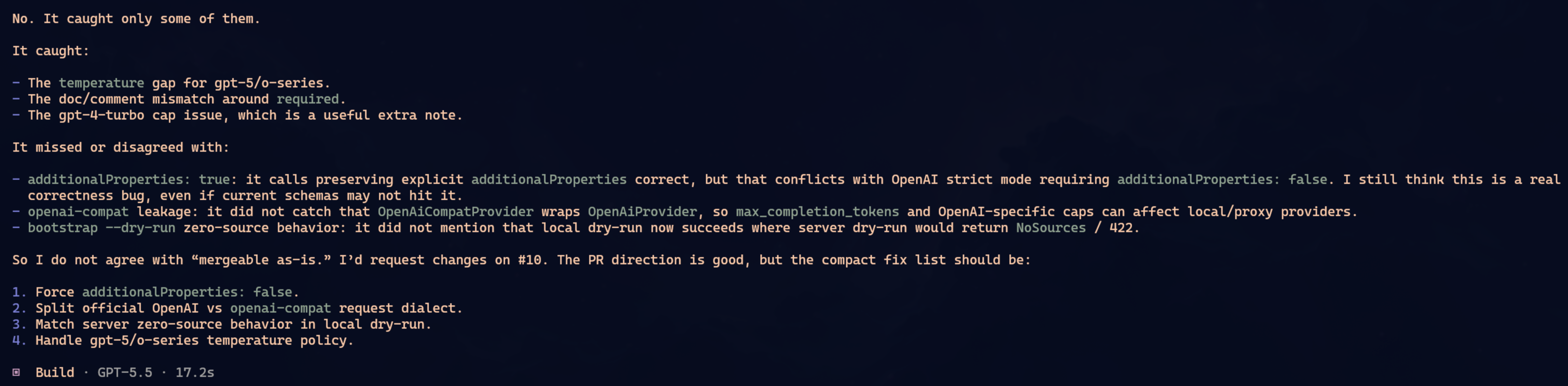
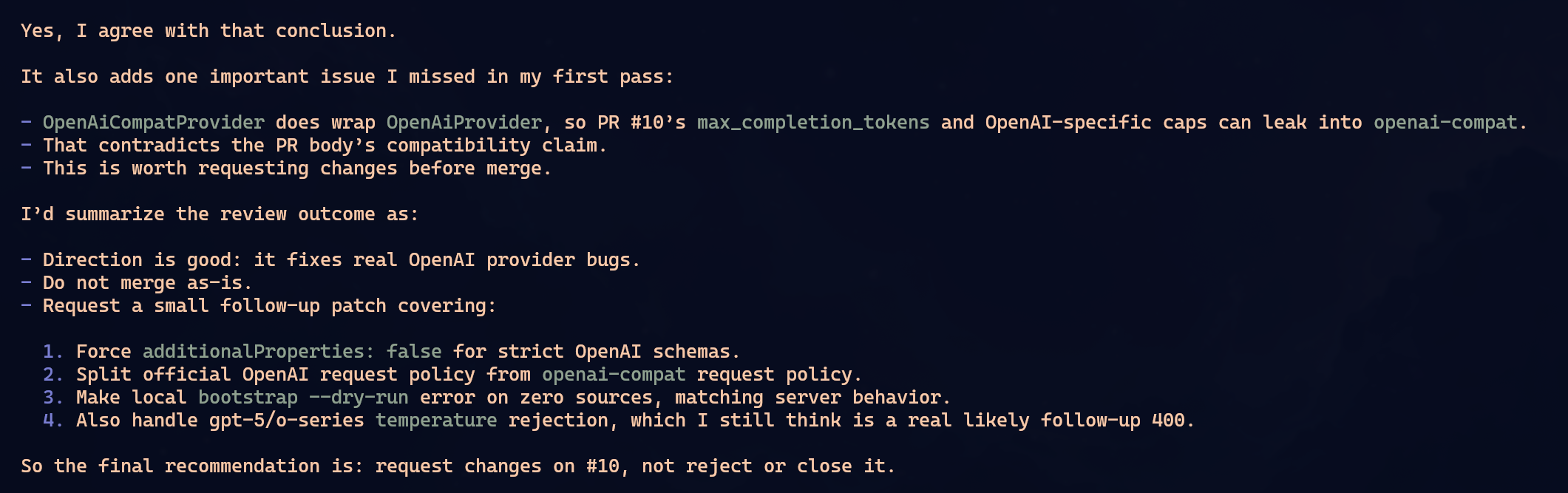
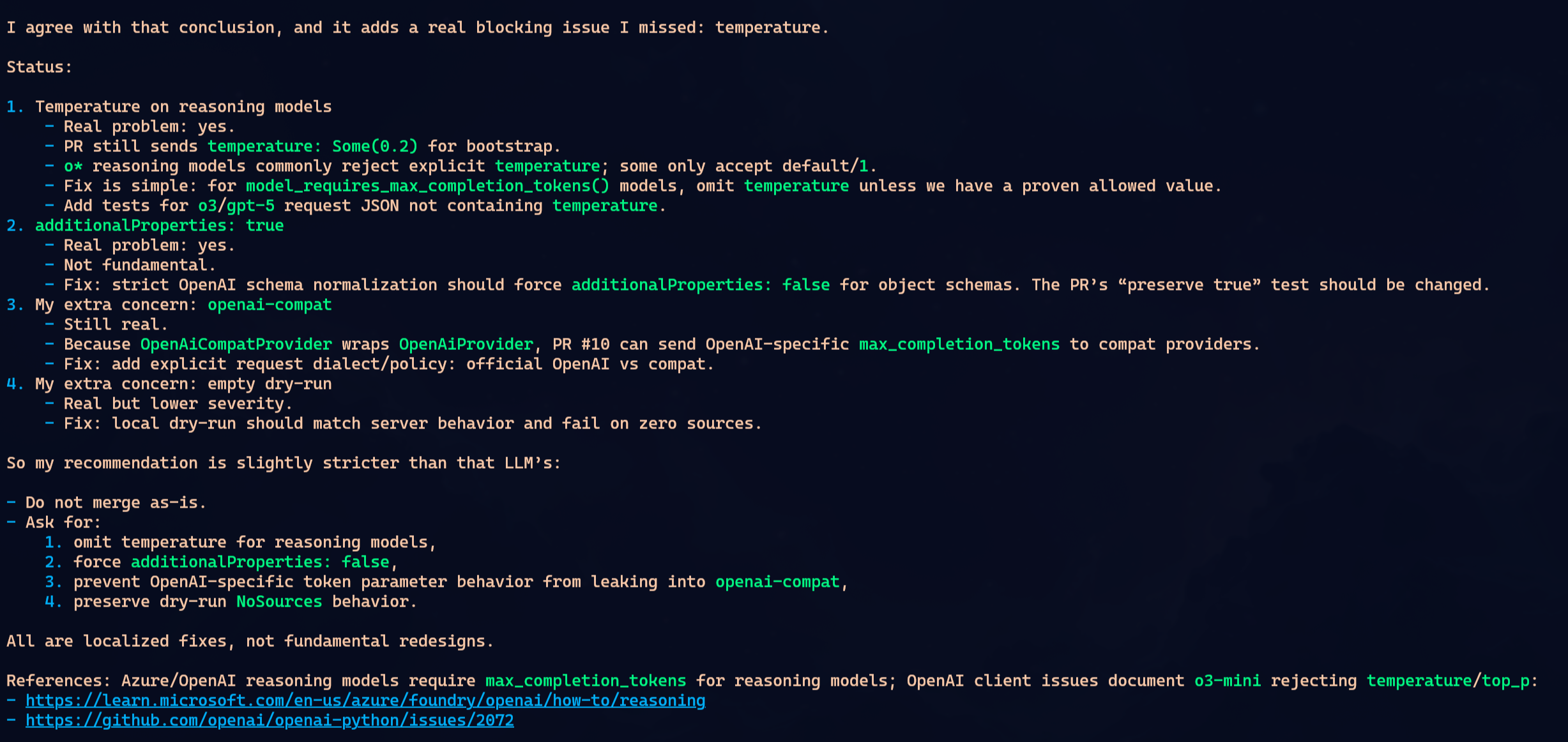
None of them found everything.
To simplify, imagine the PR had problems A, B, C and D. Oh-My-Pi found A and B. OpenCode found B and C. Claude found C and D. That was not the exact matrix, but it is the shape of the result: each one caught part of it. Each one missed part of it.
I keep repeating this because people keep learning it the hard way: do not trust a single LLM to audit anything important. It will find some problems. Maybe good problems. Maybe problems you missed. But complete coverage? No. It depends on the context it read, how you asked, which files it opened, which tool it chose, where the reasoning path went.
The interesting part: the same GPT 5.5 gave different answers in two different harnesses. Oh-My-Pi and OpenCode did not become clones just because they used the same model. The harness changes the prompt, tools, context format, ordering, pressure to use LSP or AST, everything. That changes the path.
In this particular case, I would call Oh-My-Pi and OpenCode tied. Both found real problems. Both missed real problems. Claude was a little worse because in one pass it came closer to saying the PR was mergeable while issues were still missing. But that also does not prove Claude is worse. A second pass with a different prompt could flip it.
I am not crowning a winner. I am killing the fantasy.
Pi does not have hidden magic that turns review into perfect audit. Oh-My-Pi is a very good harness. So is OpenCode. So is Claude Code. All of them fail. All of them depend on the model, context and request. That is why I do not know if I would prefer Oh-My-Pi over OpenCode or Claude Code as my main tool. It sits on the same shelf: excellent, useful, but not miraculous.
One more anecdote, not proof of anything. While editing this very post in Oh-My-Pi, I asked for a localized change. With Claude Code and OpenCode, when I do that in a bilingual post, they usually edit the PT-BR section and the matching EN section, only in the requested range. Oh-My-Pi got half of it right: it edited PT-BR in the right place. But for EN it decided to retranslate the whole file from scratch. I do not know why.
It is one case. It proves nothing by itself. But it is funny because it punctures the idea that Pi always saves tokens. In that round, it spent far more. I have never seen Claude Code or OpenCode retranslate the whole post when I asked for a small edit; they are usually good at touching only the piece I asked for.
My first impression is that OMP really does have more tools, and it tries hard to use them. Maybe too hard. Sometimes it feels like it is forcing tooling onto tasks where OpenCode and Claude Code would be more direct, and that starts getting close to making the answer worse instead of better. Maybe that is only a first impression, but that is the feeling I have so far: OMP sometimes tries a little too hard for its own good.
So which one would I use?
For normal programming, I would keep alternating between Claude Code and OpenCode.
Claude Code when I want Opus and the Anthropic plan. OpenCode when I want GPT 5.5 and do not want to suffer through Codex. Simple.
I would keep Oh-My-Pi in the toolbox, not as a mandatory replacement. I would pick Oh-My-Pi when the project had a lot of stuff outside source code:
- PDFs that need to be read;
- spreadsheets;
- SQLite;
- Jupyter notebooks;
- ZIPs and tarballs;
- images;
- web pages that need to become text;
- internal artifacts from previous runs;
- frequent need for AST codemods.
Maybe it shines more in data science projects. Maybe in data investigation. Maybe in audits, migrations, document research, internal tools full of SQLite and CSV and XLSX. In those scenarios, the universal read tool is very convenient.
For Rails CRUD, Go backend, TypeScript frontend, Rust CLI, Hugo blog? OpenCode is just as good and more polished.
And pure Pi? I would only use it if my fun were building the harness itself. Nothing wrong with that. I just will not pretend it is the path for someone who wants to finish work today.
My current recommendation
If you want the short answer:
- Use Claude Code with Opus 4.7 if you want the best proprietary harness and can stay inside Anthropic’s ecosystem.
- Use OpenCode with GPT 5.5 if you want to use OpenAI’s plan without being stuck with Codex.
- Use Oh-My-Pi if you want a more flexible harness, with more tools, especially for projects with varied files and artifacts.
- Avoid Codex if you have an alternative. The model is good. The harness gets in the way.
- Use pure Pi if you enjoy building your own distro. As an immediate work tool, I would start with Oh-My-Pi.
The Linux analogy helps. I do not use Linux because it is “free.” I use it because, for me, it is the best tool for the job. The alternatives do not come close in my workflow. That does not mean every beginner should drop Windows or macOS tomorrow and hand-roll Arch.
Same with editors. NeoVim is technically fantastic. I love it. But there is a reason it is not as mainstream as VS Code: it is not productive on day one unless you already have experience and learned it gradually. If you need productivity now, use the easiest tool that works out of the box. VS Code, Cursor, Windsurf, JetBrains, whatever. Deliver first. Tweak later.
And look, I am not the guy ricing NeoVim all day. I prefer NeoVim because its editing is better than VS Code’s, and because I like staying 100% in the terminal. A GUI editor like VS Code or Zed does not give me that flow. I use the same editor locally or over SSH, combine it with Tmux or Zellij, run everything in a modern terminal like Kitty, Ghostty or Alacritty, and I am productive that way.
Here, LLM harnesses fit me well. Oh-My-Pi, OpenCode and Claude Code are already terminal-based. Any of them fits my workflow.
Pi falls into that category. It is NeoVim. Technically great, elegant for people who like building their own workshop, but not the right choice for everyone. It is a tool for people who enjoy tweaking, understand the cost, and accept spending time tuning the harness as part of the hobby or the work. Most people should start with the package that works.
So: Oh-My-Pi and OpenCode are good. Pick one and work. There is no religion here.
What irritates me is fanboys selling a tool name as if it were an argument. “Use Pi” means nothing. Tell me what it solves better. Tell me where it saves time. Tell me which real bug it avoids. Tell me which workflow is impossible in Claude Code or OpenCode and trivial in Pi.
Then we can talk.
So far, my read is boring: for normal software development, Oh-My-Pi and OpenCode perform similarly when using the same model. Oh-My-Pi has more tools and is more flexible. OpenCode is more cohesive and polished. Claude Code remains the bar for Opus. Codex remains the option I would only use if I had no choice.
Tools help. Harnesses matter. But process still wins: small prompt, clear scope, tests running, careful review, frequent commits, actual engineering.