NW-Omarchy: Bringing Omarchy to X11 with XLibre
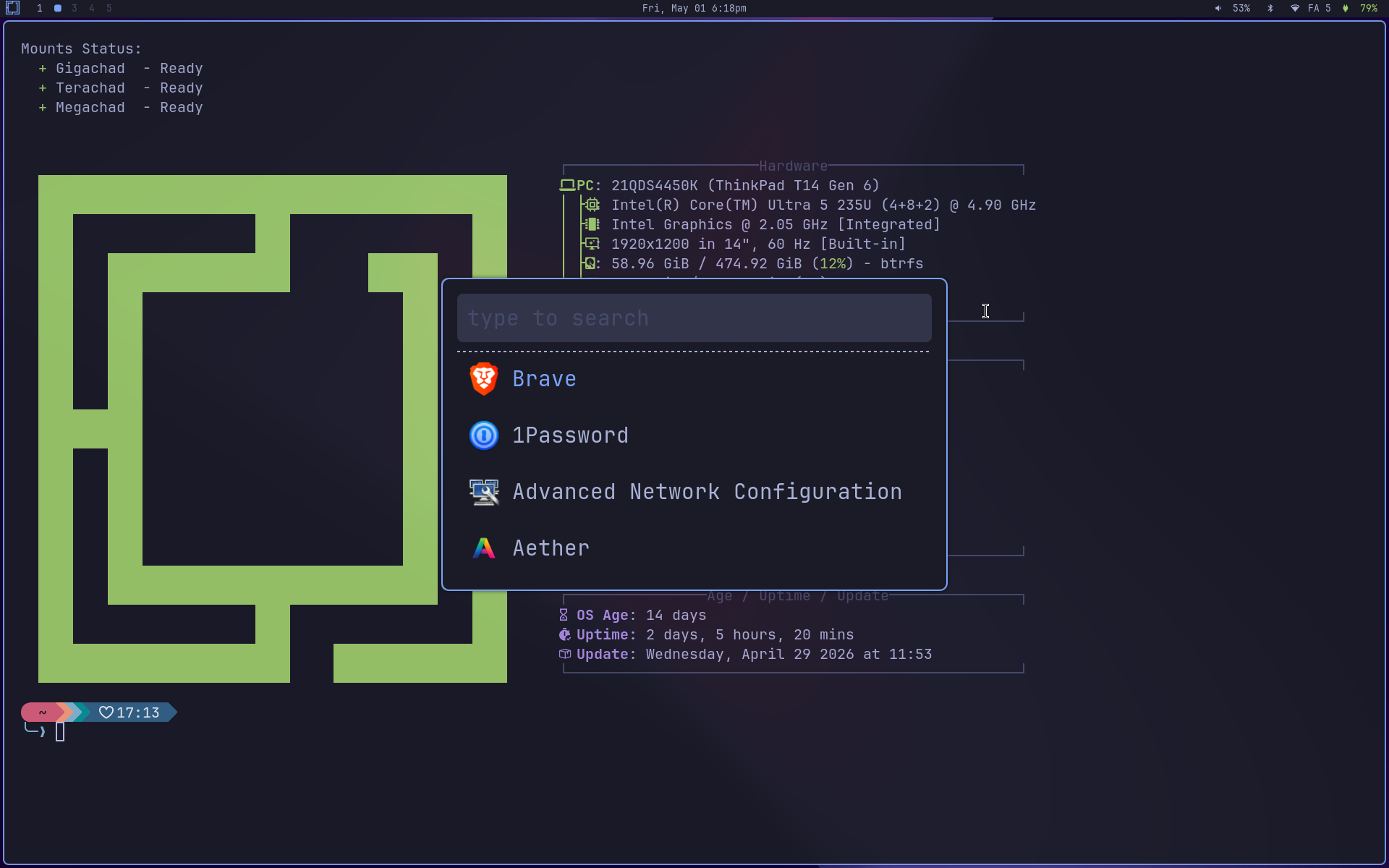
This post inaugurates an experimental project I’ve been hacking on for the past few weeks: NW-Omarchy. The pitch is easy to explain and stubborn enough to be worth defending: take the opinionated, pretty look-and-feel of Omarchy (which is Hyprland, meaning Wayland) and bring all of that to the X11 world, as a parallel session you pick at SDDM. Your Hyprland session stays untouched. When you want to try X11, pick nw-bspwm at login and land in something that looks like the same Omarchy with different parts underneath.
The obvious question is “why bother”. Red Hat already announced in 2025 that upstream xorg-server is gone from RHEL 10, and the corporate Linux narrative shifted to “use Wayland and move on”. As usual, in open source we don’t have to agree. There’s XLibre, a fork of xorg-server picking up active maintenance, and there are plenty of people with old hardware, legacy drivers, or legacy software for which Wayland still isn’t a viable path. NW-Omarchy is for that scenario: give that gear a graceful second wind and, while you’re at it, make it pretty.
What XLibre is and why it matters
XLibre is a fork of xorg-server that started in 2025, after it became clear upstream had no energy left to evolve. X.Org itself was only taking critical security patches, and the historical primary funder of new development (Red Hat) announced it was stepping out of new X-server work as part of the RHEL 10 plans. XLibre took the codebase and went back to cleanups, security fixes, modernization and driver-ABI bumps. The first public release was XLibre 25.0, and the project lives at github.com/X11Libre/xserver.
XLibre’s technical pitch is being a drop-in replacement for xorg-server. Same X11 protocol, same client API (libxcb/libx11), same dependency graph in pacman. Your xterm, your Firefox, your Steam, your favorite emulator for arcade machines from the 90s, none of them know the X server changed. Distros already shipping XLibre as default or tier-one:
- Artix Linux (2026.04+) ships it as the default X server.
- Fedora has an open Change proposal to migrate.
- Arch Linux has an official binary repo at
x11libre.net/repo/arch_based/. That’s exactly what NW-Omarchy uses.
Comparing what’s still alive:
| xorg-server | XLibre | |
|---|---|---|
| Last non-security release | 21.1 (2022) | 25.0 (2025) |
| Active codebase work | none | yes |
| Driver ABI | frozen | bumped (X-ABI-VIDEODRV_VERSION=28.0 in 25.0) |
| Stated future | “use Wayland” | continued X server evolution |
Coexists with xorg-xwayland | yes | yes |
If your reason for staying on X11 is any of the classics (legacy proprietary Nvidia driver, vintage Intel GPU, Optimus laptop with quirky muxing, dependency on xdotool/wmctrl/xprop/xinput for accessibility or remap tools, ssh -X to run a remote app, clipboard with no permission prompt, screen reader that needs to read input from any window), XLibre is the path that keeps that stack under active maintenance.
Why this project exists
I run Omarchy on my Thinkpad T14 Gen 6 (wrote about it here) and I genuinely like it. DHH did serious curation work: a single coherent theme across everything (terminal, launcher, top bar, lockscreen), consistent shortcuts, visual choices that don’t tire your eyes. It’s opinionated the right way, and it spares you the fatigue of configuring everything from scratch.
The catch is that Omarchy is Hyprland, Hyprland is Wayland-only, and Wayland still has scenarios where it’s the wrong tool for the job. Older machines with legacy Nvidia drivers, environments leaning on software with deep X11 integration, situations where you want ssh -X and don’t want to learn waypipe, or just machines you want to keep running without swapping half the stack. For those cases, I wanted Omarchy’s aesthetic and workflow on top of X11. It didn’t exist. So I built it.
The name NW-Omarchy is short for “Not Wayland Omarchy”. It’s deliberately a sidecar: runs alongside, doesn’t replace. You install it on top of an existing Omarchy install, it creates a separate SDDM session called nw-bspwm, and nothing in your Hyprland setup gets touched. Want to go back to Hyprland? Pick Hyprland at SDDM next login. Want to uninstall? There’s an uninstall script that reverses exactly what got installed, based on a manifest that tracks every action.
What changes in the stack (Wayland → X11)
Hyprland is compositor + WM in the same binary. In the X11 world, those two functions come as separate pieces, and each has a well-known substitute. The translation work was mapping every Omarchy component to its X11 equivalent, then making sure the keyboard shortcuts, theming, and behavior stayed as close as possible.
| Function | Omarchy/Wayland | NW-Omarchy/X11 |
|---|---|---|
| Window manager | Hyprland | bspwm |
| Hotkey daemon | Hyprland built-in | sxhkd |
| Compositor | Hyprland built-in | picom (upstream v13) |
| Top bar | Waybar | polybar |
| App launcher | Walker | rofi |
| Notifications | Mako | dunst |
| Idle/lock | hypridle / hyprlock | xidlehook + xss-lock + i3lock-color |
| Nightlight | hyprsunset | redshift |
| Clipboard history | walker -m clipboard | clipmenu (rofi-backed) |
| Screenshots | hyprshot | maim + slop + xclip |
| Color picker | hyprpicker | xcolor |
bspwm is a minimalist tiling window manager. The WM itself only responds to commands over a socket, and bspwmrc is literally a shell script. Keybindings live in a separate daemon, sxhkd, which reads a plain text file. That separation is classic X11: each piece does one thing.
picom is the compositor that gives you blur, shadows, rounded corners, fade-in/out, and per-window opacity rules. NW-Omarchy uses upstream v13 (released February 2026), not the old picom-ftlabs-git fork, abandoned since 2024. The visual effects Omarchy has under Hyprland (rounded corners, fade on open/close, blur on rofi and dunst) all come from picom in NW-Omarchy.
polybar replaces waybar. Same visual layout: Omarchy logo on the left, date in the middle, audio/wifi/bluetooth/battery indicators on the right. Same nerd-font icons. Left click opens the same TUIs (wiremix, impala, bluetui), right click opens the GUI variants. Scroll on audio adjusts volume, middle click mutes. Practical parity.
rofi replaces walker. super + space opens the full launcher with every .desktop on the system plus icons. super + shift + space opens a cheat-sheet of the pinned apps, with the chord shown next to each name. Useful for remembering “what was the chord for Signal again”.
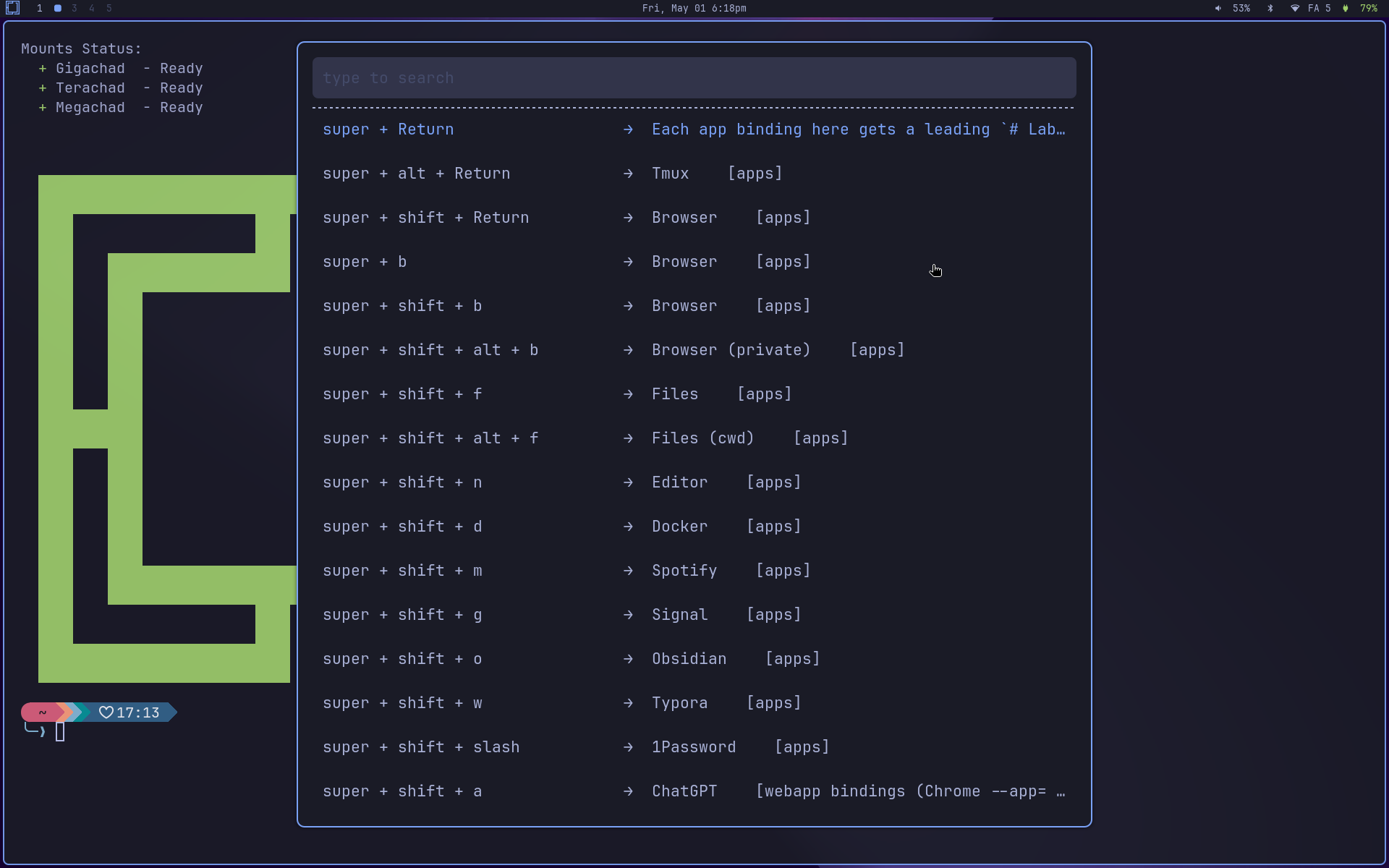
For a user who isn’t going to crack open ~/.config to customize anything, the difference between the two sessions is cosmetic at homeopathic levels. The same Omarchy shortcuts (over 70 bindings) are wired up, the same menus pop up, the same logo sits in the bar, the same nerd-font icons.
The theme system is the same
This was the most fun part to build, and the part that surprises people most. Omarchy has a centralized theme system: each theme lives at ~/.local/share/omarchy/themes/<name>/, ships a colors.toml with a universal palette (accent, background, foreground, color0..15), and omarchy-theme-set <name> re-renders each app’s config to match. The active theme lives at ~/.config/omarchy/current/theme/, and every app imports its colors from there.
NW-Omarchy plugs into that same pipeline. I added .tpl templates for bspwm, polybar, rofi and dunst that follow the Omarchy convention, and omarchy-theme-set-templates regenerates everything on every theme change. The result is that all 19 themes Omarchy ships work as-is in NW-Omarchy, with zero porting work. Catppuccin, gruvbox, kanagawa, nord, tokyo-night, all of them. The wallpaper changes along with the theme via an inotify daemon (nw-omarchy-bg-watch).
A few examples in action:
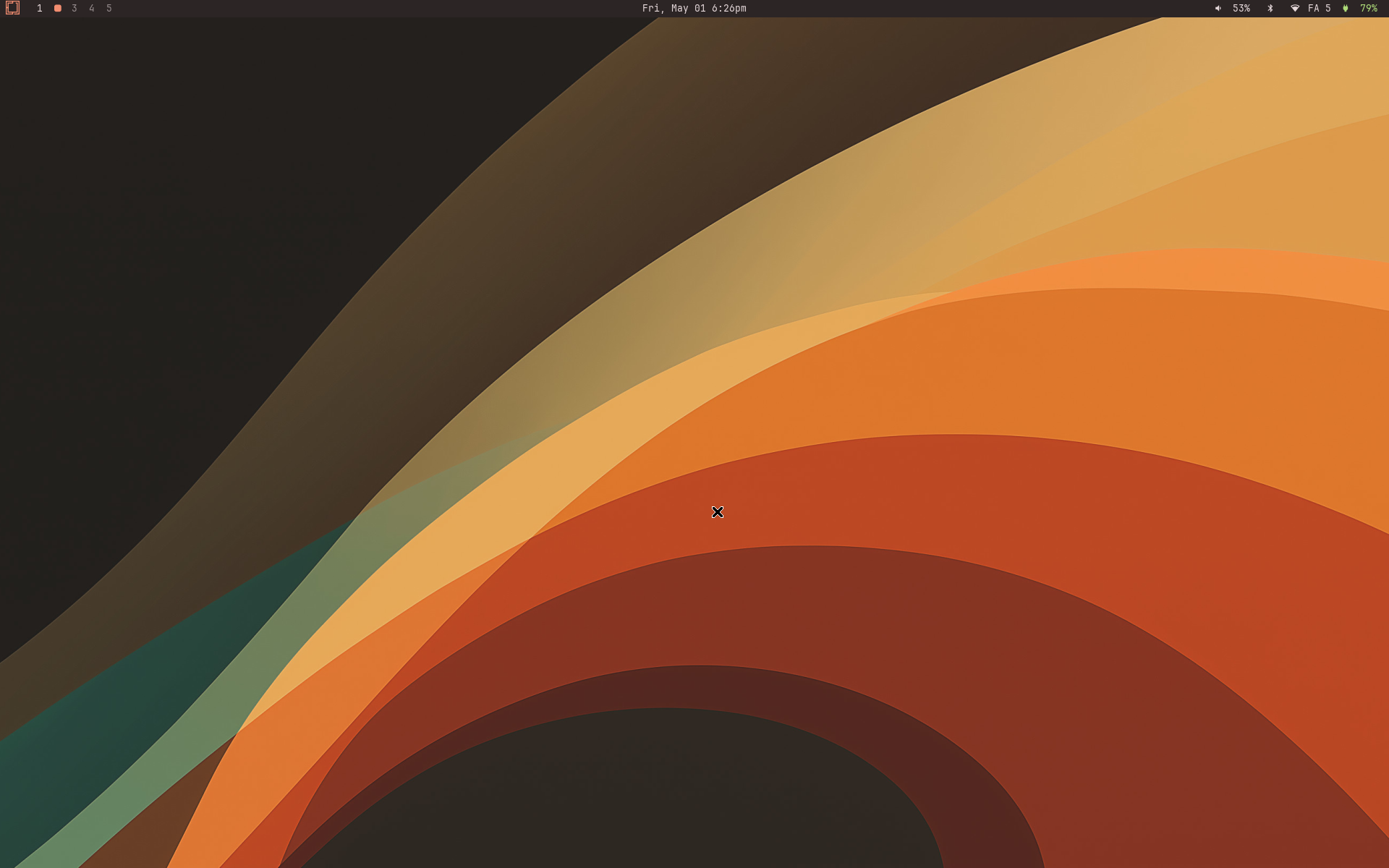
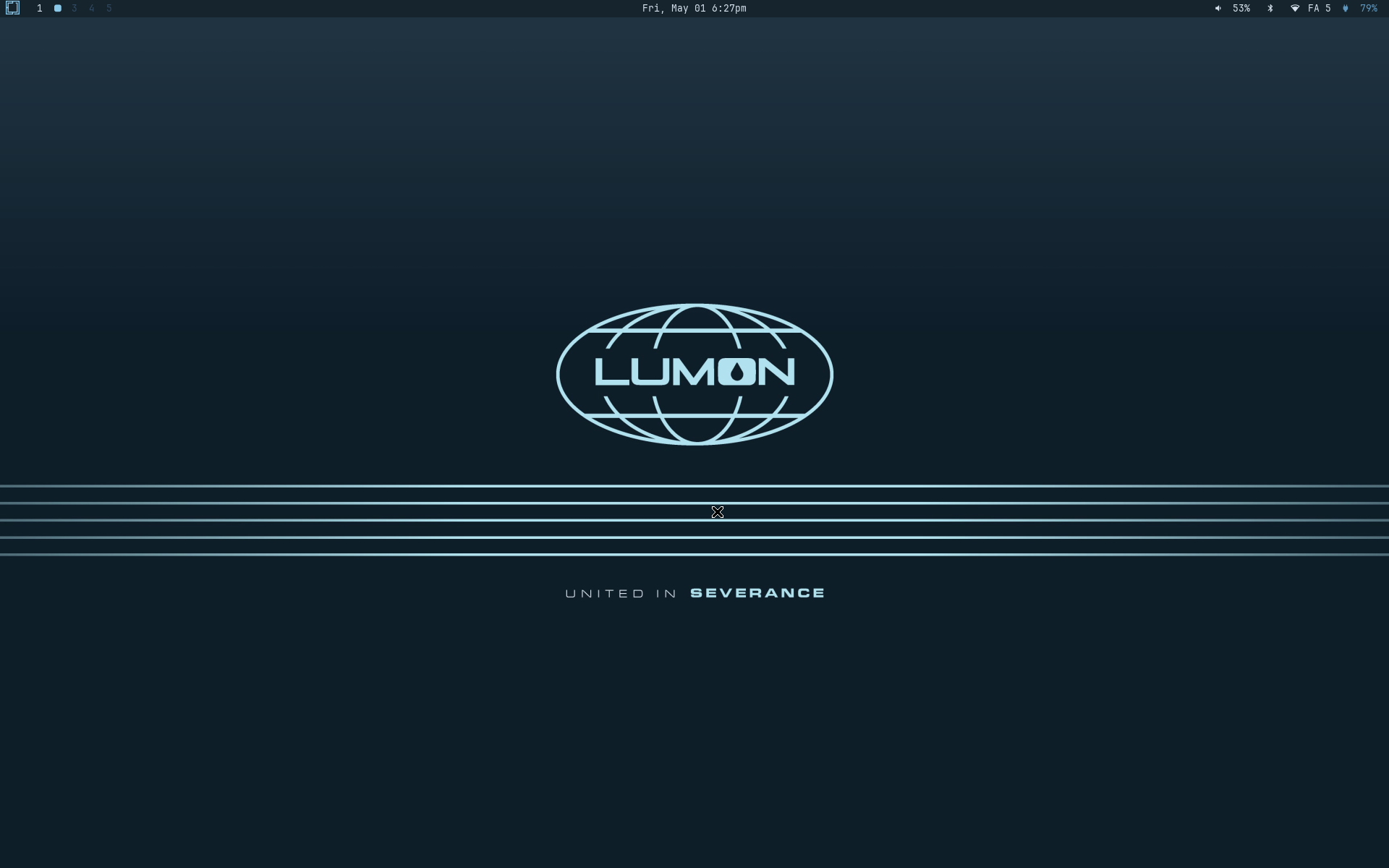
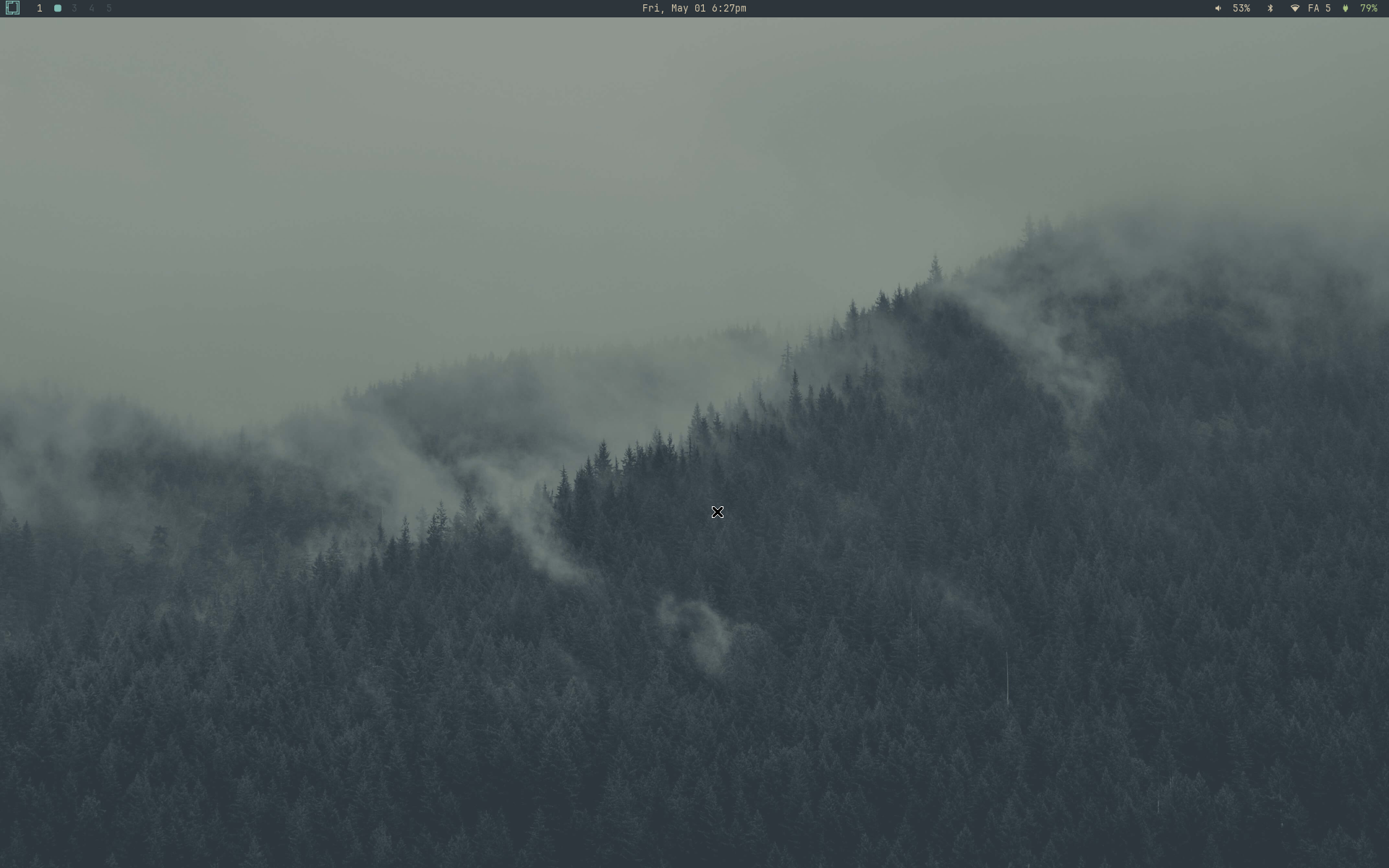
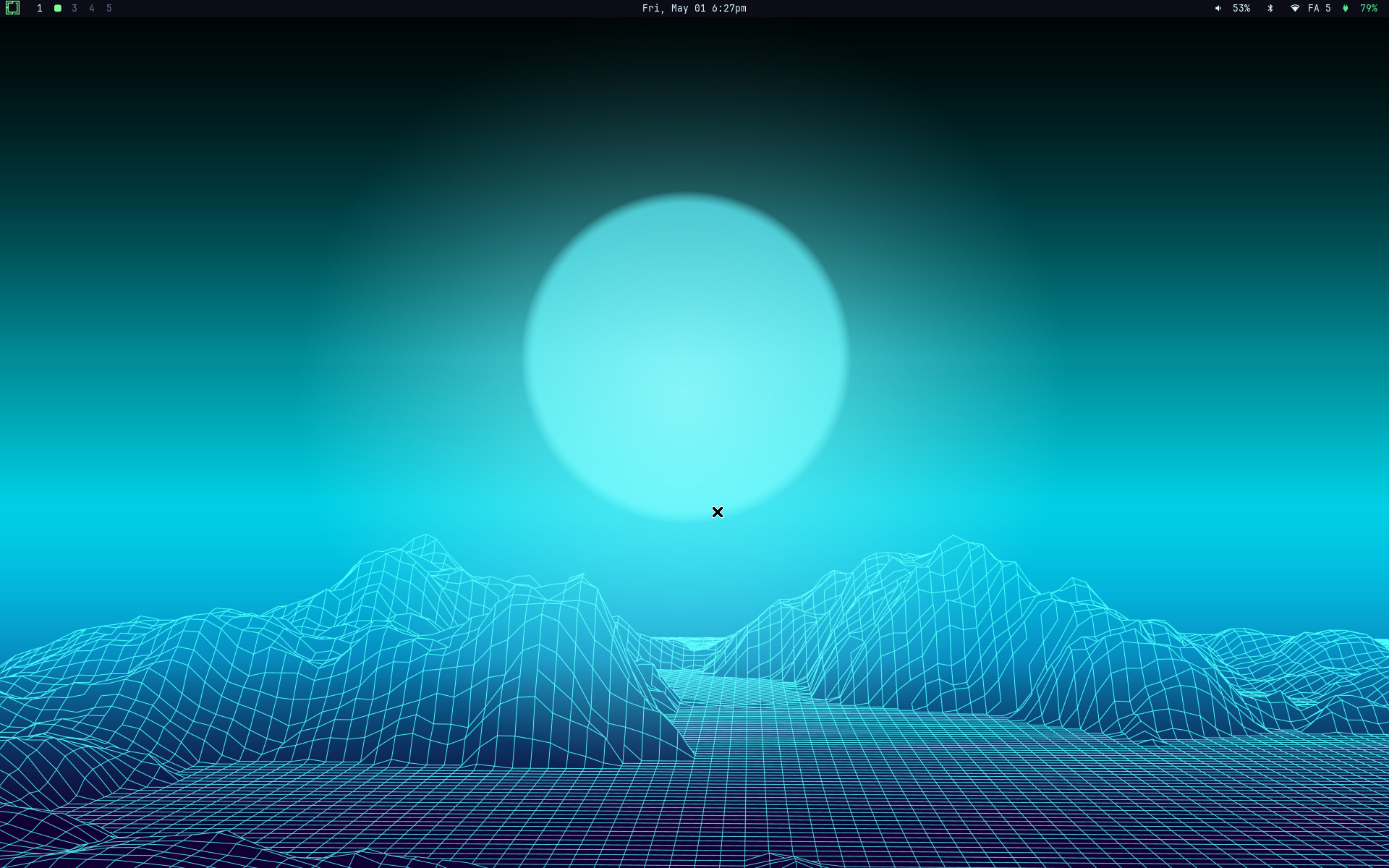
When Omarchy adds a new theme via omarchy-theme-update, NW-Omarchy gets it for free. No extra work, no rebuild, nothing for me to republish.
System menu and TUIs
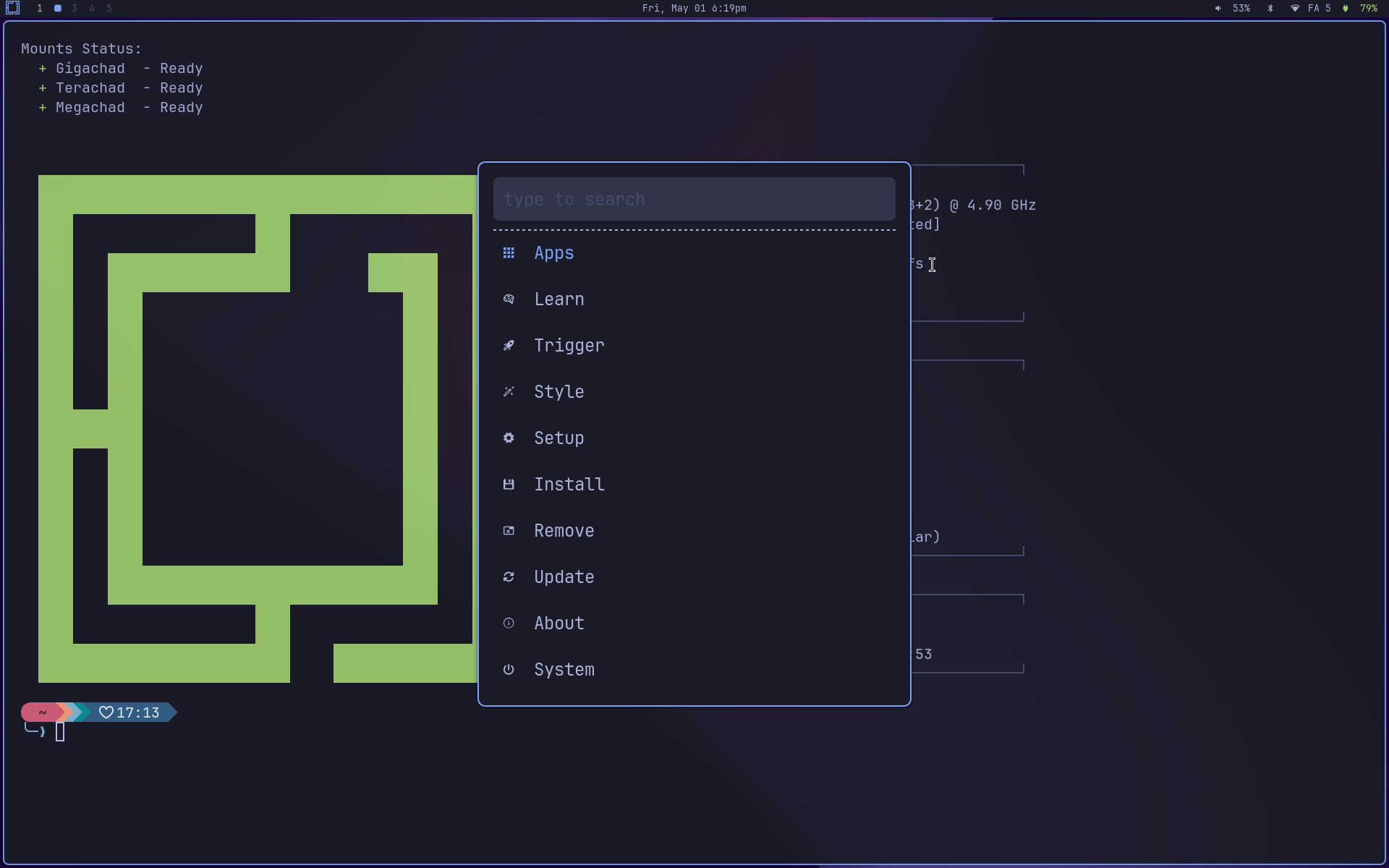
Omarchy’s system menu (the super + alt + space one that opens the hierarchical menu with Hardware, Setup, Update, etc.) has a 1-to-1 port in NW-Omarchy. Same tree, same navigation. Where Omarchy calls walker --dmenu, I call rofi -dmenu. The rest of the code is identical, and most of the helpers the menu invokes (omarchy-pkg-add, omarchy-theme-set, omarchy-update, etc.) have nothing Wayland-specific in them and run straight on X11.
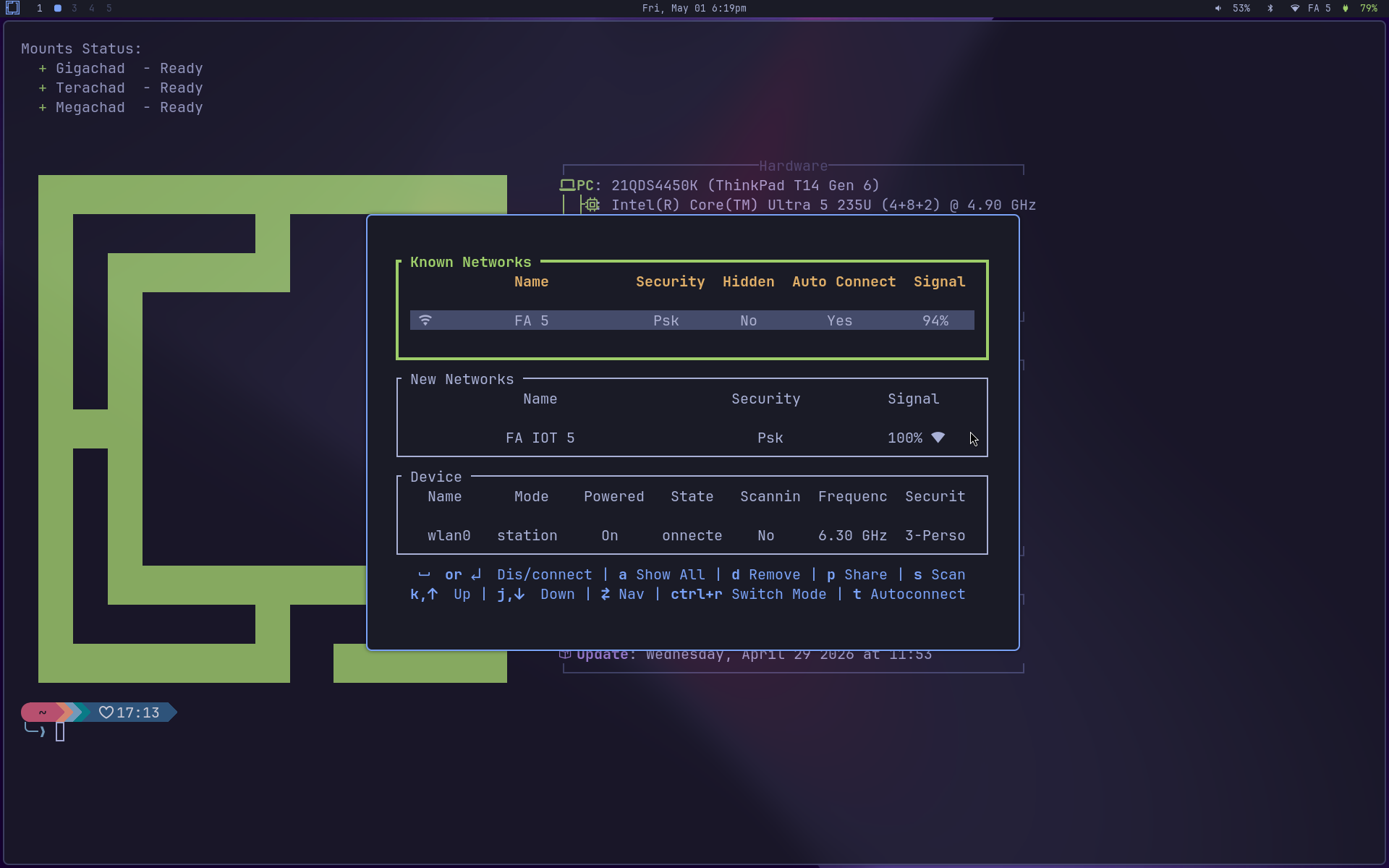
The TUIs too: wiremix for audio, impala for wifi, bluetui for bluetooth, btop for system resources. They all open as a centered floating window, same as Omarchy under Hyprland. bspwm has a rule (bspc rule -a) that recognizes the org.nw-omarchy.<cmd> class and applies state=floating center=on rectangle=900x600 automatically.
What’s there and what isn’t
Honesty first: there are Hyprland features that are Wayland-only and don’t come back. Per-monitor fractional scaling is gone, X11 only does integer scaling per output, so mixed-DPI setups look off. HDR doesn’t exist on X11. Tear-free rendering by design needs Wayland; on X11 you need picom + vsync and a cooperative GPU, and even then you get close to Wayland without quite matching it. Workspace swipe with live preview during the gesture is also gone, because bspwm has no in-progress switch state, so the gesture fires a discrete command only on completion (you go to the next workspace, but you don’t see the preview slide). And the Wayland-specific daemons (voxtype, walker preview pane, hyprsunset, hypridle) become redshift and xss-lock, with no preview pane in rofi.
If any of those points is a deal-breaker for you, stay on Omarchy/Hyprland. SDDM picks between the two sessions every login, so they coexist without resentment.
On the other hand, what X11 has going for it still applies. xdotool, wmctrl, xprop and xinput keep working for automation, key remapping, screen readers, AutoKey, kanata, xkeysnail. xclip, xsel and clipmenu do straightforward clipboard plumbing, no permission dialog. ssh -X keeps working: you run Firefox on a remote box and the window pops up locally. Legacy Nvidia, vintage Intel and quirky Optimus drivers are all first-class on X11. The tiling WM ecosystem is mature (bspwm, i3, awesome, openbox, xmonad, dwm) and configs port between them with little pain. And the predictable input model, where any client can read any event, is bad for security but excellent for accessibility and productivity tooling.
For older hardware, that’s the difference between “live machine” and “machine sitting in a corner”.
Install
Prerequisite: Arch Linux with Omarchy already installed. NW-Omarchy runs on top of it, doesn’t replace it.
One-liner install:
curl -fsSL https://raw.githubusercontent.com/akitaonrails/NW-Omarchy/master/boot.sh | bashboot.sh runs preflight (checks Arch, Omarchy, git), clones the repo to ~/.local/share/nw-omarchy, and runs the full install pipeline: packages, the nw-bspwm session, configs in ~/.config, and the XLibre swap as the last step. It asks for confirmation once before touching anything. Skip the prompt with:
curl -fsSL https://raw.githubusercontent.com/akitaonrails/NW-Omarchy/master/boot.sh | bash -s -- --yesWhen it finishes, reboot. The X server swap (xorg-server → XLibre) only takes effect on the next session. At SDDM you’ll see a session picker. We also swapped Omarchy’s SDDM theme for one with a selector, because the vanilla Omarchy theme has the session name hard-coded in the QML with no UI to change it. Pick nw-bspwm and you’re in.
If you’d rather clone and run by hand to inspect first:
git clone https://github.com/akitaonrails/NW-Omarchy.git ~/.local/share/nw-omarchy
cd ~/.local/share/nw-omarchy
./install.sh           # dry-run, prints what it would do
./install.sh --apply   # actually run it
Upgrade
When a new release ships, the path is:
nw-omarchy-upgrade --check    # checks current vs latest, exits
nw-omarchy-upgrade            # yay -Syu, fetch latest tag, migrations, install
The script runs yay -Syu (or pacman -Syu if you don’t have yay), compares the local tag to the remote, and if there’s a new release does git fetch && git checkout v<latest>, runs the migrations between the current and new versions, and re-applies install.sh --apply. All idempotent. Re-running on an already-current machine is a no-op.
Uninstall
If you tried it and didn’t like it, uninstall this way:
~/.local/share/nw-omarchy/uninstall.sh --applyThe uninstaller reads ~/.local/state/nw-omarchy/manifest.tsv and replays it in reverse: removes only the packages it installed (pkg-skip rows are left alone; packages that were already on the system stay on the system), restores original configs from ~/.local/state/nw-omarchy/backups/, deletes the nw-bspwm session entry, wipes the state dir. Your Hyprland session keeps working as before. Nothing under ~/.config/hypr/ or ~/.local/share/omarchy/ gets touched at any point during install or uninstall.
To revert specifically XLibre back to xorg-server (without uninstalling anything else), pacman handles it on its own:
sudo pacman -S xorg-server xorg-server-common xf86-input-libinputThe package provides/conflicts graph handles the rest of the swap atomically.
Status: experimental, feedback welcome
The current version is at 1.0 but the project is still young, in polish phase. The big items are in place: binding parity, menu parity, theme parity, TUI parity, doctor for health-checking the install, manifest for clean uninstall. What’s left is polish, edge cases, working through varied hardware, listening to feedback from anyone running it on a different machine than mine (Thinkpad T14 Gen 6).
If you try it and hit something (something that doesn’t work, configuration that’s missing, behavior that differs from Omarchy in a way that breaks flow), open an issue here:
github.com/akitaonrails/NW-Omarchy/issues
Repros, stack traces, output of nw-omarchy-doctor, anything helps. PRs are welcome too.
Defending X11 in 2026 is a pragmatic argument. The transition to Wayland takes time, plenty of hardware and plenty of software still live comfortably on this side of the fence, and the open source community can support more than one path at a time. XLibre is the bet on keeping the X server alive a few more years. NW-Omarchy is my bet that you can make this older stack look as pretty as the newer one, without compromising any of what makes X11 still worth the trip.
If you’re on a new machine, modern GPU, 4K HiDPI display, wanting HDR, stay on Omarchy/Hyprland. If you’re on an older box, or you simply prefer the X11 ecosystem for any of the reasons above, give NW-Omarchy a shot.