AI Agents: Which One Is Best? OpenCode, Crush, Claude Code, GPT Codex, Copilot, Cursor, Windsurf, Antigravity?
This post was inspired by this tweet:
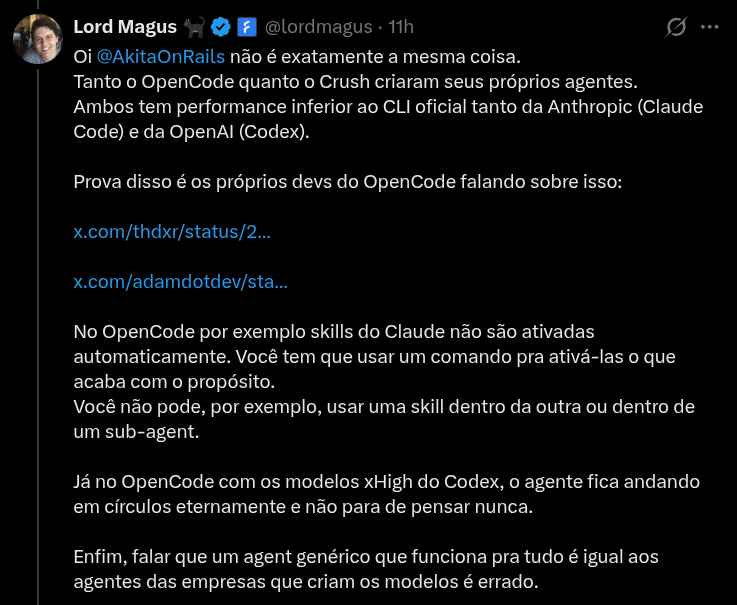
Anyone who follows my blog or my X knows I have been pushing open source AI agents like Crush or OpenCode, which is the one DHH prefers on Omarchy.
But as the tweet above points out, yes, they still cannot do everything the proprietary, closed options can.
Despite the title, the idea here is not to review each one, but to describe in “broad strokes” where the main agents currently stand.
TL;DR by personal preference, I will keep using Crush. Occasionally I will use Claude Code.
Let me explain why.
Agent Skills
This is the easy part. Anthropic came up with a tool standard called Agent Skills. Pretty much every commercial and open source agent supports skills.
In my personal setup, for Crush, I configured it like this:
cd ~/.config/crush/
git clone https://github.com/anthropics/skills.git anthropic_skills
ln -s anthropic_skills/skills skills
Then in my ~/.config/crush/crush.json I configure it this way:
{
  "$schema": "https://charm.land/crush.json",
  "options": {
    "skills_paths": [
      "~/.config/crush/skills"
    ]
  },
  ...
}
Anthropic’s skills are open source (at least they contribute something to open source every once in a while, between one controversy and another … 🤷♂). And in practice there is no particularly interesting skill in there. Take a look:
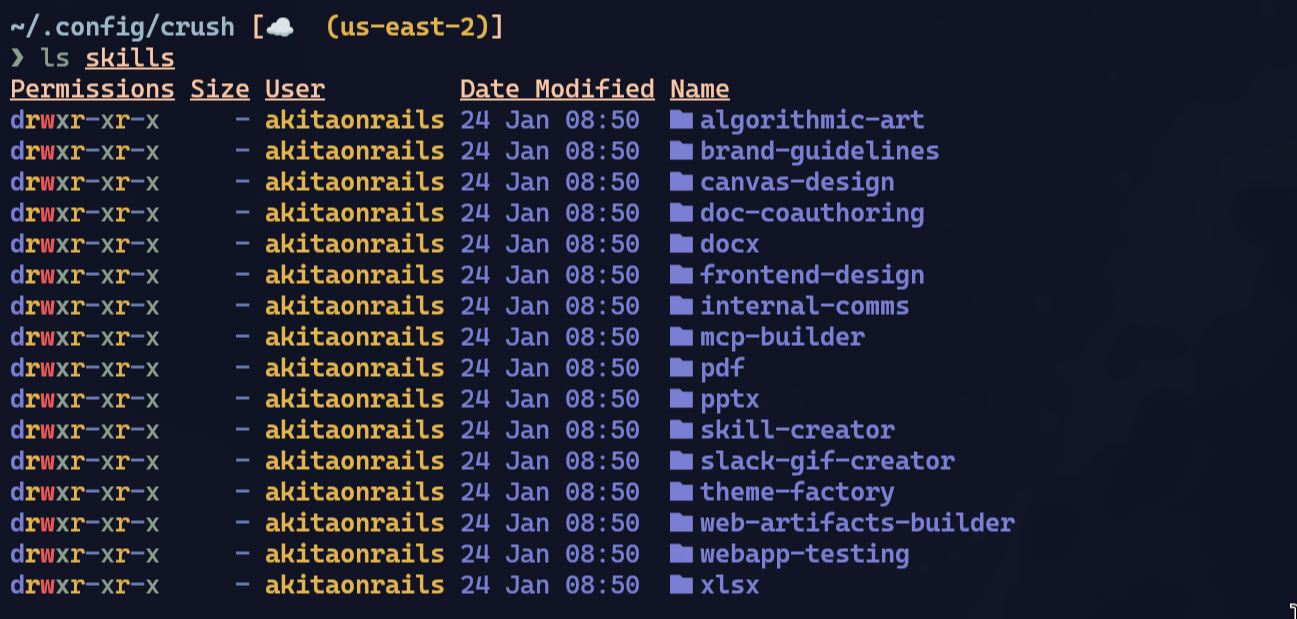
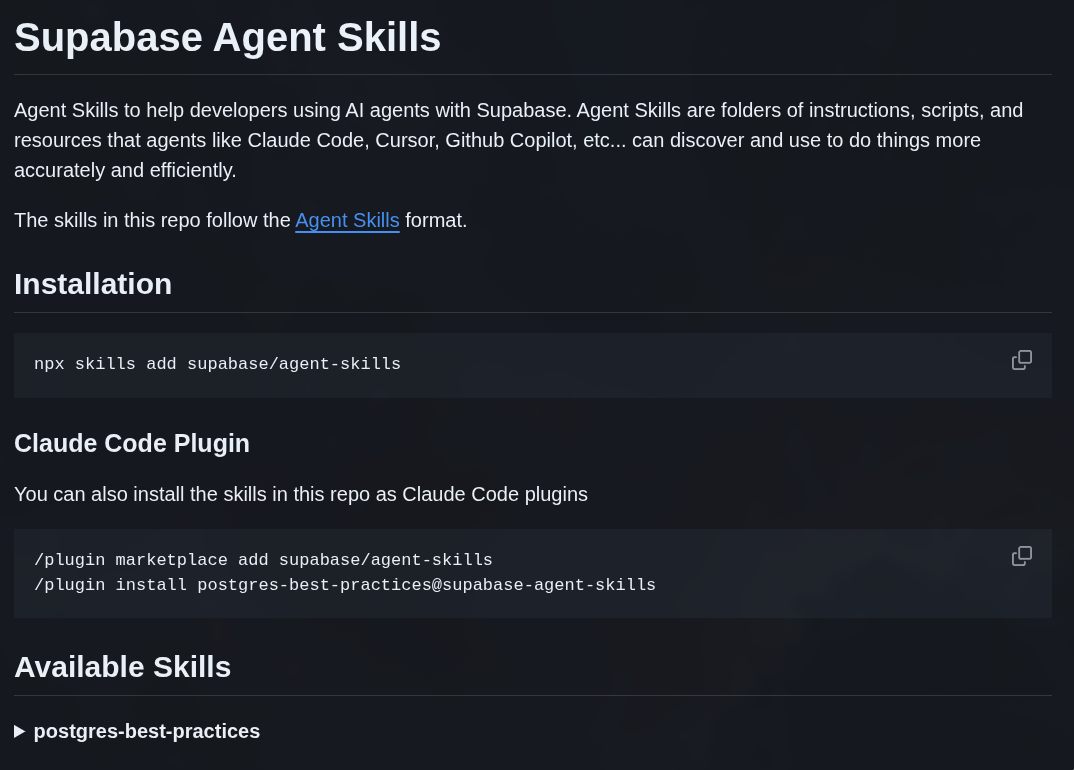
They are tools to generate Word or PDF documents and things like that. The idea in Claude Code is that there is a plugin Marketplace, and you can install a bunch of other third-party plugins. Here is an example from Supabase:
In my simple example I am only using Anthropic’s skills, but I can just keep piling up more and more skills and dropping them into ~/.config/crush/skills/ and that’s it. Here is how I trigger it inside my Crush:
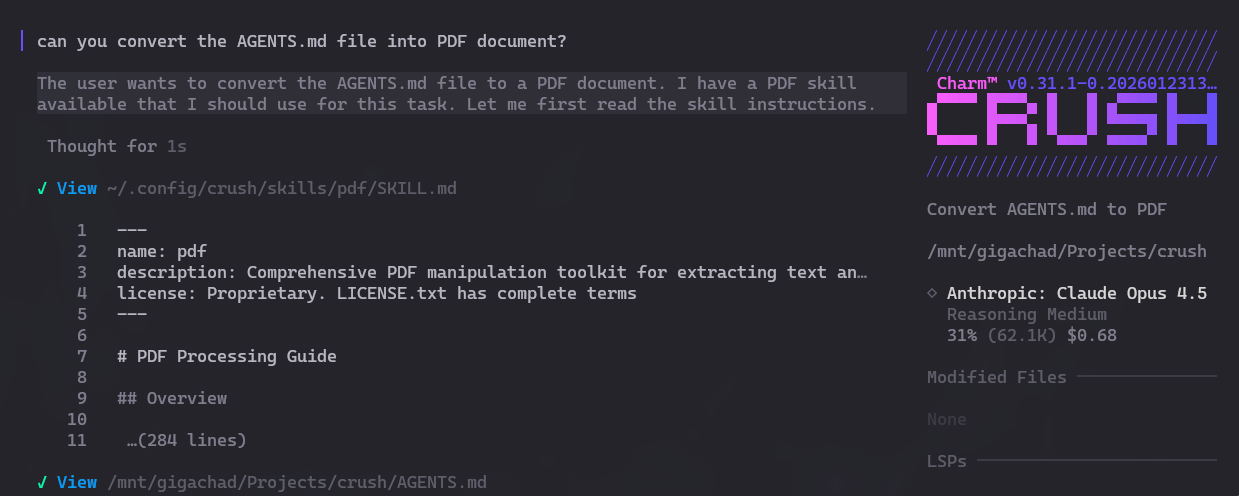
See? Same as in Claude Code, the skill is called automatically.
Automatic skills are a double-edged sword: don’t install everything you come across.
EVERYTHING in agents is based on the SYSTEM PROMPT. Those are the instructions agents repeat at every new session. The difference between using agents and using the chat directly on their website is the prompts.
Last year I explained in this post how an agent works from scratch. Read it to understand.
To use skills, the LLM has to know they exist. And for that it has to be told in the SYSTEM PROMPT. This is not free.
For the SYSTEM PROMPT to contain the skills, the agent has to concatenate skill metadata: name, description, path to scripts, all in XML format.
- name: 5 to 10 tokens (maximum of 64 tokens)
- description: 50 to 200 tokens (maximum of 1024 tokens)
- path: 10 to 20 tokens
- XML overhead: about 15 tokens
Rough estimate: 80 to 250 tokens per skill.
Estimate with 50 skills installed: 4,000 to 12,500 tokens for every new session!
Agents are very useful, but this is one of the things that makes them expensive: they get better the more SYSTEM PROMPT instructions they receive. But there is no memory: you have to instruct them EVERY single time you open Claude Code or Codex or any other. It will always burn tokens! Even if you just open the tool and do nothing, you will spend tokens. That is the business model of every one of them.
“BUT”, that said, yes, skills are in fact useful. So are LSPs, MCPs, ACPs. Just be aware that none of this is free. And none of it is magic specific to any tool either. It is all open, and it has to be, these are text prompts.
GPT Codex “HARNESS”
This is a controversial point, another annoyance from OpenAI. Depending on the point of view it is good, but it is also bad.
“Harness”, as the name itself suggests, is like a safety strap, as if GPT were a wild horse and we were trying to tame it.
It is everything that holds the raw LLM in place to make it more effective specifically for code:
- SYSTEM PROMPT - the most important part, the instructions that define behavior, personality, limitations
- Tools definition - specific tools the model can call (apply_patch, rg, git, etc.)
- Patch format - a specific diff format the model was trained on (one of the things I don’t like: training on a non-standard format)
- Loop/Orchestration - calling the model repeatedly, how to handle tool results, context management
The GPT Codex models were fine-tuned specifically for this proprietary harness - only it behaves this way. That is why using these LLMs in tools other than Codex CLI may not yield the same results.
But can you use that harness outside of Codex? Partially, yes.
1. The SYSTEM PROMPT is public
It’s at this link. Main elements:
- be concise, direct, friendly
- use apply_patch to edit files (not sed/echo)
- use rg instead of grep for searches
- obey AGENTS.md files
- use update_plan for multi-step tasks
- never use git commit unless explicitly ordered
2. The apply_patch Format
OpenAI’s models are trained on this specific patch format:
*** Begin Patch
*** Update File: src/main.py
@@ def calculate():
     result = 0
-    return result
+    return result + 1
*** End Patch
Principles:
- no line numbers - instead, use context lines
- clear delimiters for old vs. new code
- supports create, update, delete operations
3. Tool Configuration
Codex default tools:
- apply_patch - file editing (the model was trained on this)
- rg - ripgrep for searching code
- read_file - reads file contents
- list_dir - lists directory files
- glob_file_search - pattern matching
- git - version control
- todo_write/update_plan - task management
So, in the specific case of Crush, there is still no support for OpenAI’s proprietary harness. OpenAI’s models were fine-tuned on top of this specific harness. To get the most out of them, you need to call “apply_patch” and not use “sed”, for example. To find code properly, it knows how to use “rg”, but it won’t know how to use “grep” the same way.
That is why, to use the Codex harness, you absolutely need to use Codex CLI.
You can reverse engineer it and implement it in Crush or OpenCode. I don’t think that support exists yet. The pain is that it will be like Microsoft and Windows. Whenever the open source world manages to replicate the same behavior, they will ship a new version that breaks the old behavior and it turns into the same tired cat-and-mouse story.
Agent Wars
Remember the “Browser Wars” of the 90s and 2000s? This is the same thing:
- Claude Code is Internet Explorer 11
- GPT Codex is Netscape
- Cursor, Windsurf, Copilot are the Operas
- OpenCode/Crush are Chromium in 2006
The principles are the same:
- each coding LLM was trained on a different “harness”
- theoretically, only OpenAI and OpenAI’s licensed partners have access to the exact spec of that harness. That is why Codex or Cursor or Copilot behave differently from OpenCode when using OpenAI models
- it’s all prompts: if we know the exact instruction prompts, we can replicate it in the open source world - there must already be people doing it
- but it is a cat-and-mouse chase. A new version will always come out. It is the same problem as LibreOffice vs. Microsoft Office, which after decades is still not 100% compatible
So there is no way around it:
- want to get the most out of Claude? Use Claude Code
- want to get the most out of GPT? Use Codex CLI
LLMs are expensive to train. Billions of dollars expensive. Obviously they will lock things down as much as possible to get the biggest return on investment. That is actually fair.
That is why “open” models matter: to help force an open standard for tooling and harness. In practice, there is no truly open model. They are all “free” (as in “free beer”) and not “libre” (as in “free speech”). Everybody wants to take market share from the competitor, that is the incentive.
Conclusion
In practice, as usual, it DEPENDS on your use case. If GPT gives better results for your kind of project, use Codex CLI or OpenAI partners like Copilot or Cursor that - probably - use the same harness.
If Claude gives better results for you, use Claude Code.
If you don’t see yourself using specific skills or things like that, there are alternatives that deliver results as good as Claude, like GLM 4.7 or MiniMax v2.1. The appeal of the alternatives is to avoid getting locked into proprietary tools again and being able to use OpenCode or Crush. Those are the most “open source”-friendly - if you care about that.
We are in an AI bubble, that is obvious. And in the dev world in particular, we are right in the middle of an “Agent War”. Codex wants to be the next Office. Claude Code wants to be the next Internet Explorer.
Personally, I don’t have anything specific that requires Claude or GPT. Claude’s performance via Crush is really good for me, so I will stay on Crush. You should choose based on your own needs and tests.
You should be a real dev and test things technically, instead of following opinions.