
One of the most frustrating things for a Linux user is that there are very few well-made graphical apps. Look at Gimp or LibreOffice. They’re ugly, outdated, very similar to the first time I used them over 20 years ago.
The more “modern” apps are basically canned web front-ends wrapped inside Electron. The problem? They’re HEAVY and chew through RAM like there’s no tomorrow. Start opening Discord, Spotify, and a handful of these and see if your old 8GB notebook can keep up.
But, especially if you’re a programmer, you should pay more attention to TUIs. At first, some will turn their nose up: “terminal apps are ugly, black and white, boxy, blegh”
Twenty years ago, they’d be right. But it’s 2025 and today’s terminals support 256 colors (more than enough), various resolutions and, most importantly, fonts, in particular Nerd Fonts, fonts that have icons inside. That’s how a tool like eza works, which I use every day aliased to ls and looks like this:

And there’s more: there are modern libraries, for several languages, like BubbleTea, a framework for building TUIs. Check their GitHub but they have the tools to make interfaces like this:
And if you just want a simple widget to complement a Bash script you’re writing, they have Gum, which lets you do interfaces like this:
And to use it just install the binary and put lines like this in your script:
# Gum examples
gum choose "fix" "feat" "docs" "style" "refactor" "test" "chore" "revert"

gum input --placeholder "scope"

gum confirm "Commit changes?" && git commit -m "$SUMMARY" -m "$DESCRIPTION"
And if you use Omarchy they ship an extra feature for TUIs. Just hit “SUPER+ALT+SPACE” to bring up the main menu, then pick “INSTALL” and “TUI”. Or simply open the terminal and run:
$OMARCHY_PATH/bin/omarchy-tui-install
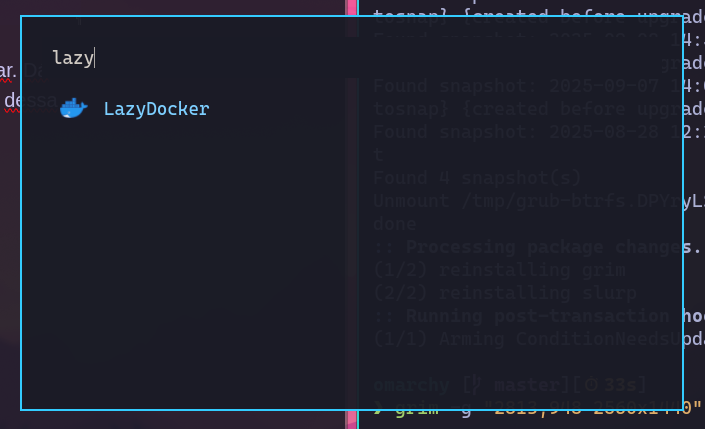
It’ll ask for a name for the App and the command line to run. You can also pick icons at Dashboard Icons. Once registered that way, when you call the Rofi launcher with “SUPER+SPACE” and type “lazy”, LazyDocker shows up as if it were a regular app:
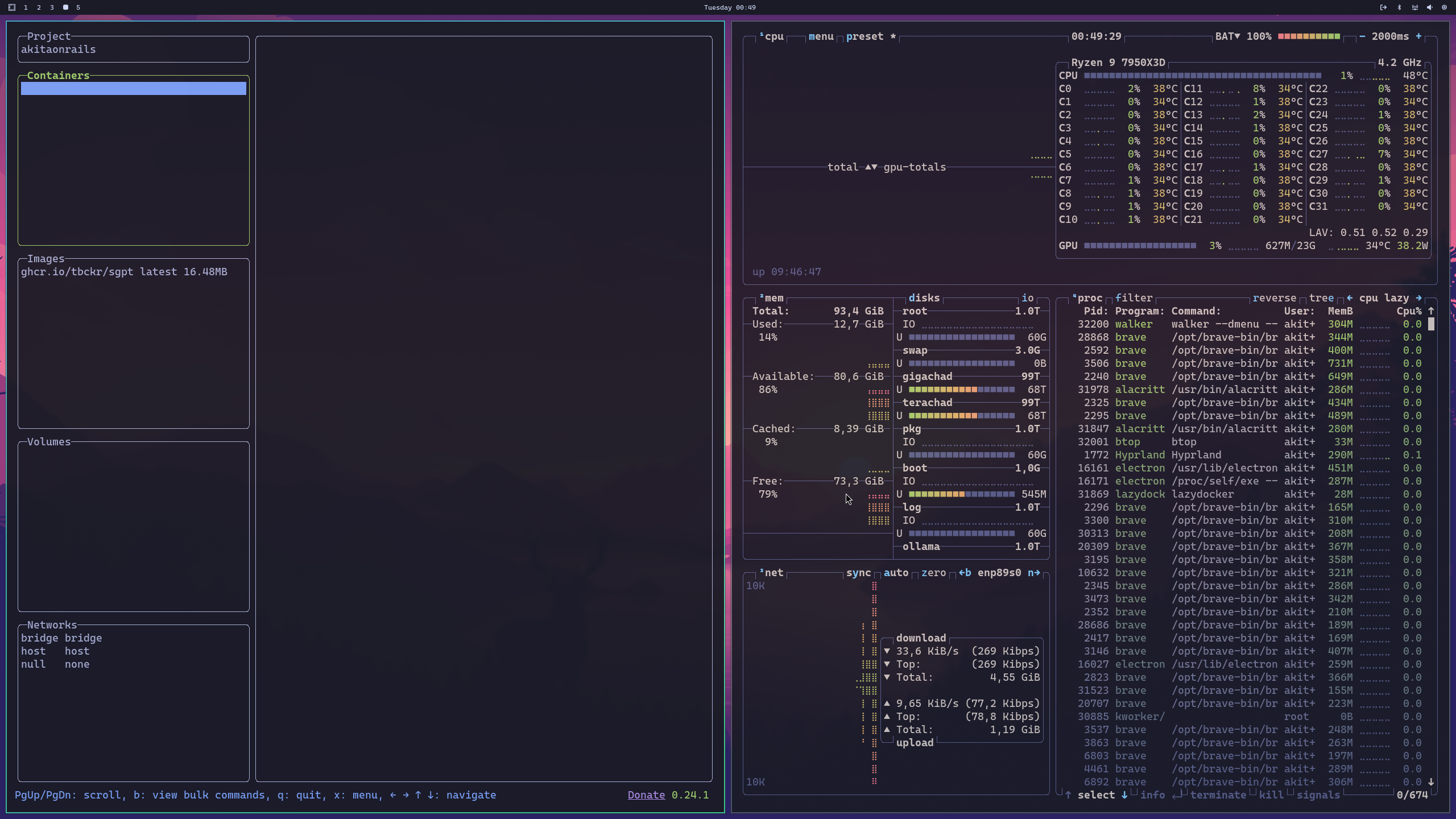
And since Hyprland has no title bar or anything, TUI apps or web apps (there’s omarchy-webapp-install too) open as if they were “native” apps:
Read the TUIs and Web-Apps sections in the Omarchy manual.
Obviously, this is only for those who prefer the feeling of running “Apps”, but it’s the same thing as opening a Terminal and simply typing lazydocker on the command line - which is my preference. What these Omarchy scripts do is create a .desktop file at ~/.local/share/applications. The LazyDocker.desktop example generates this:
❯ cat ~/.local/share/applications/LazyDocker.desktop
[Desktop Entry]
Version=1.0
Name=LazyDocker
Comment=LazyDocker
Exec=alacritty --class TUI.tile -e lazydocker
Terminal=false
Type=Application
Icon=/home/akitaonrails/.local/share/applications/icons/LazyDocker.png
StartupNotify=true
If you don’t want this launcher anymore, just delete the file or call the $OMARCHY_PATH/bin/omarchy-tui-remove script.
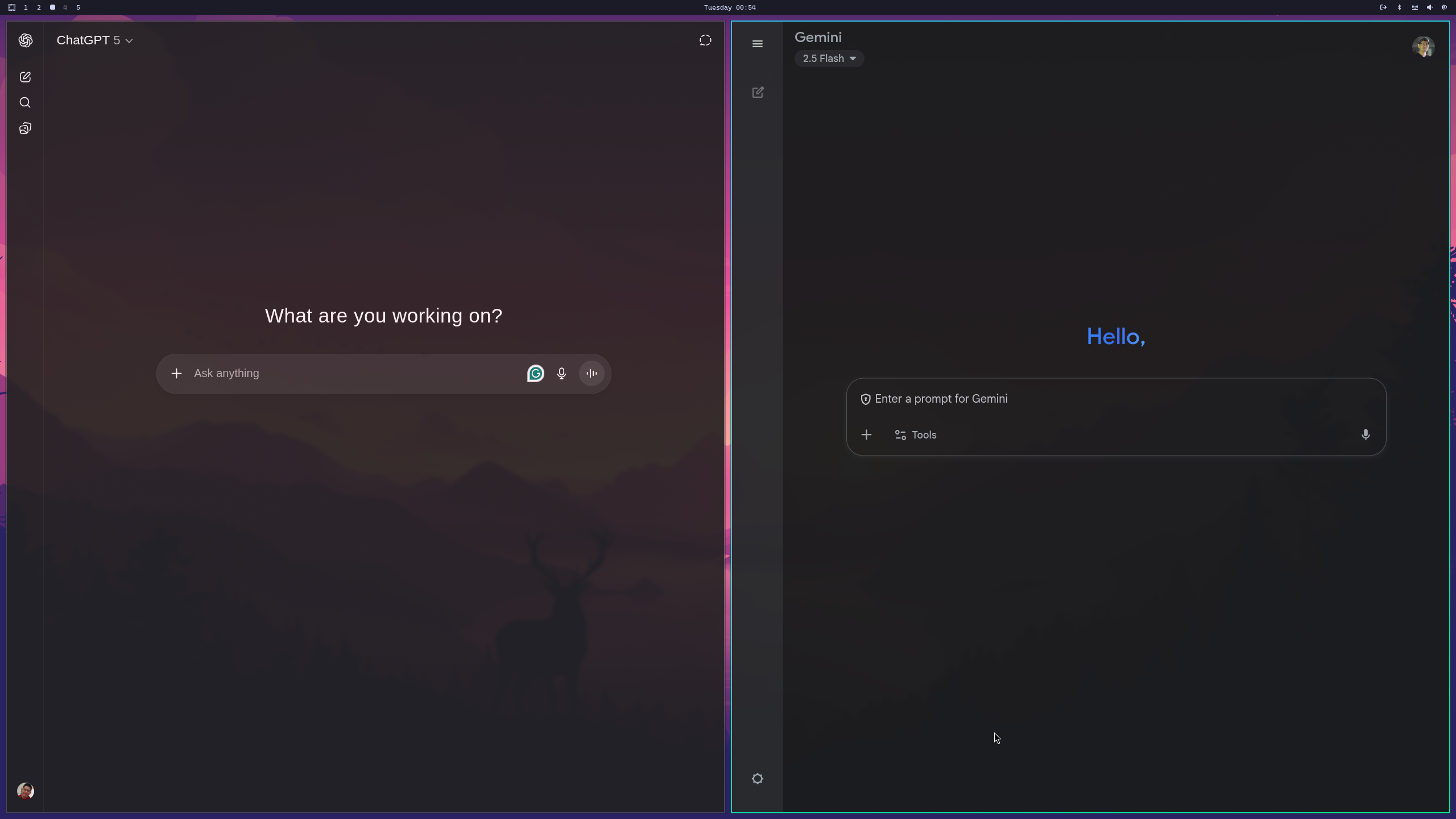
This feature is particularly interesting in Hyprland because, unlike GNOME or KDE, the window has no top title bar, so it doesn’t give away that you’re just opening a terminal or web browser. That’s how it ships pre-configured with things like ChatGPT or Grok looking like “native” apps, when they’re really just Chromium windows opening each one’s URLs directly:
Some TUIs I like
In my opinion, since there are no pretty GUI apps for Linux, it’s really better to use the respective web apps like Canva or ChatGPT that way, but more interesting is having actual TUIs. As I said, these days it’s not hard to make pretty TUIs. For a programmer, the advantage is that you don’t have to deal with front-end frameworks first, and second, you don’t have to deploy anywhere on the internet.
TUIs are lightweight, use few machine resources, they’re easy for any programmer to build, and you can have a home server or a server in some cloud, SSH in, and access the TUI, without having to deal with X11 or RDP or anything heavier just to get a GUI.
Some TUIs are obvious: in the previous post I already talked about LazyVim and how it’s a text editor as competent and complete as VS Code, using only a fraction of the machine’s resources. Everyone should know tools like HTOP or BTOP. Plus LazyGit or LazyDocker. All of these already come in Omarchy.
But there’s much more, for example, dblab which is a TUI database client for MySQL or Postgres:

Another similar one is LazySQL, written in Go:

Or if you prefer tools written in Rust, there’s rainfrog:

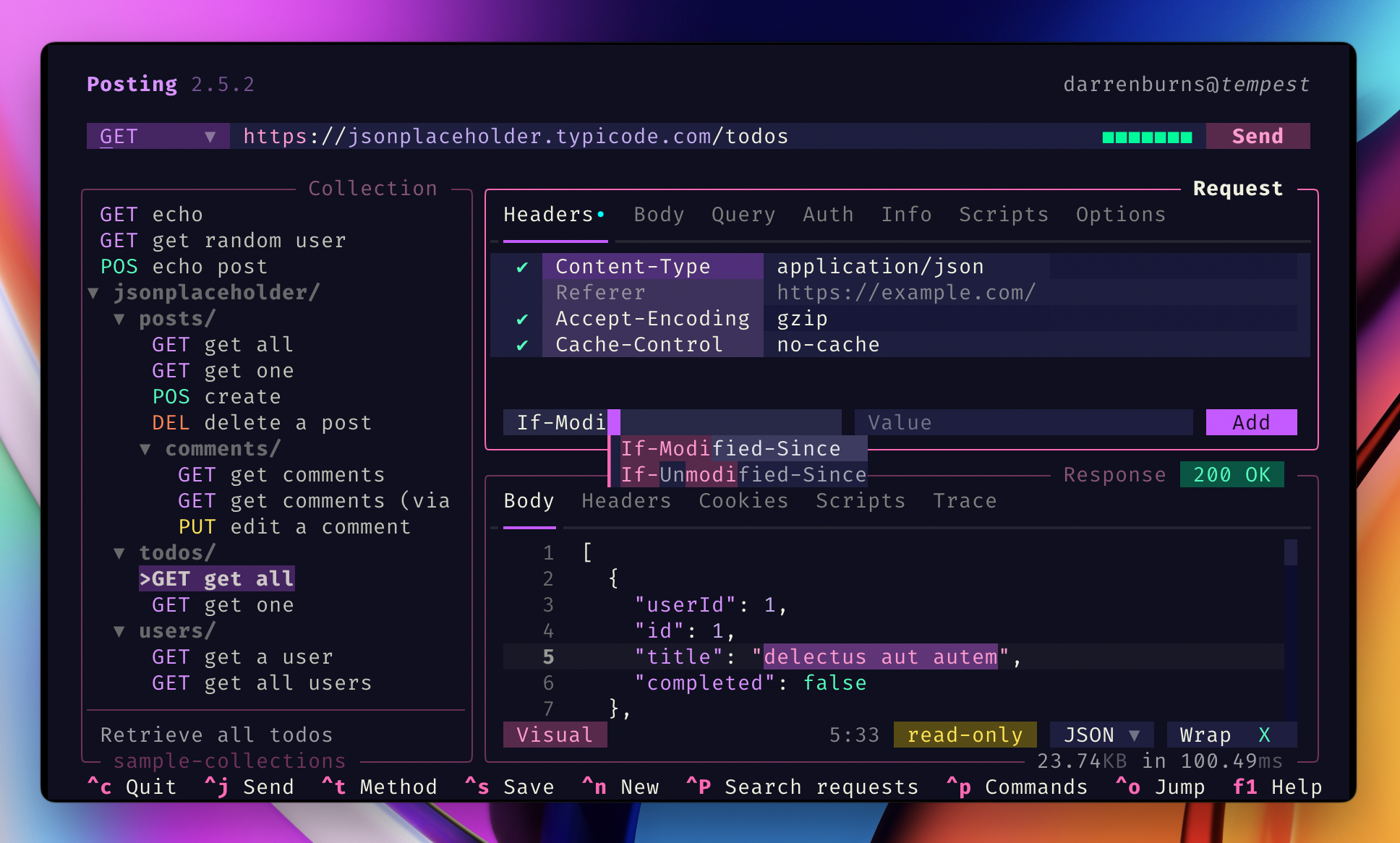
For those who can’t use CURL on the command line and prefer Postman to call and explore APIs, there’s the TUI Posting that does the same thing:
For those of us who run lots of Docker containers, I already mentioned LazyDocker, but there’s also oxker:

If you use Discord, there’s discordo:

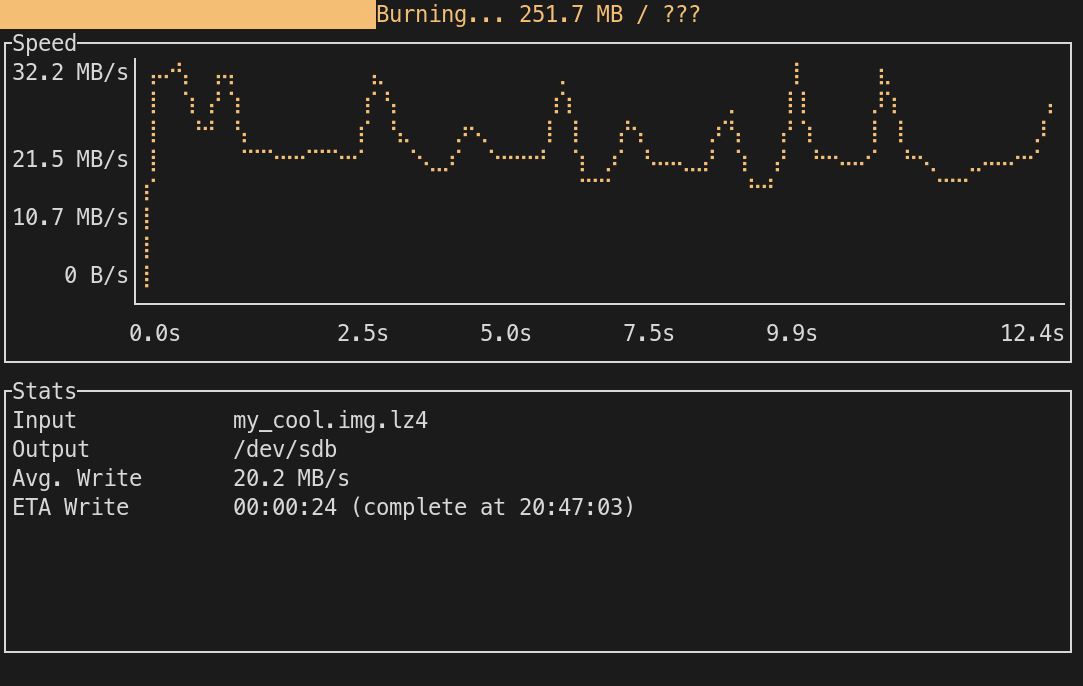
Anyone who does a lot of Linux ricing has had to burn ISOs to USB sticks dozens of times; for that there’s dd on the command line, but there’s a cooler TUI called Caligula:
If your SSD is filling up and you have no idea where the hell all that space is going, there are several tools to analyze and show you. One of them is gdu:
And the last one I thought was cool out of nostalgia is sc-im; think Excel as a TUI or - for those of us who came from the 80s - think Lotus 1-2-3 but with Vim keybindings:

Why open Google Spreadsheets just to make a Todo list if you can do it in the Terminal?? TUIs are exceptional!
If you want to discover more TUIs check out awesome-tuis on GitHub:
 Again: zero need for heavy web front-ends for simple things. Nothing beats the simplicity of a command line. And with libraries like BubbleTea or Gum, it’s now very easy for anyone to make a pretty app. And with Hyprland and Omarchy, everything stays integrated side-by-side with any other GUI app.
Getting a bit philosophical, the history of GUIs starts with skeuomorphic graphical interfaces that try to imitate objects from our daily life, particularly looking pseudo-3D, like Windows 95 was. The 2000s arrived and they started migrating to flat or minimalist interfaces, completely removing the skeuomorphism, making everything flat. That came mainly from Windows 8’s Metro. And I think that’s converging toward a more TUI-like style, coming full circle, going back to how it was on 70s terminals. Personally, I find that fascinating.